Plugable USB-C Triple Monitor Docking Station with 100W Laptop Charging
The Plugable UD-ULTCDL Triple Monitor USB-C Docking Station is an all-in-one solution for reliable multi-monitor productivity on Mac, Windows, and ChromeOS. Designed for home offices, corporate desks, and shared workspaces, this laptop dock connects displays, networking, audio, storage, and peripherals through a single USB-C cable.
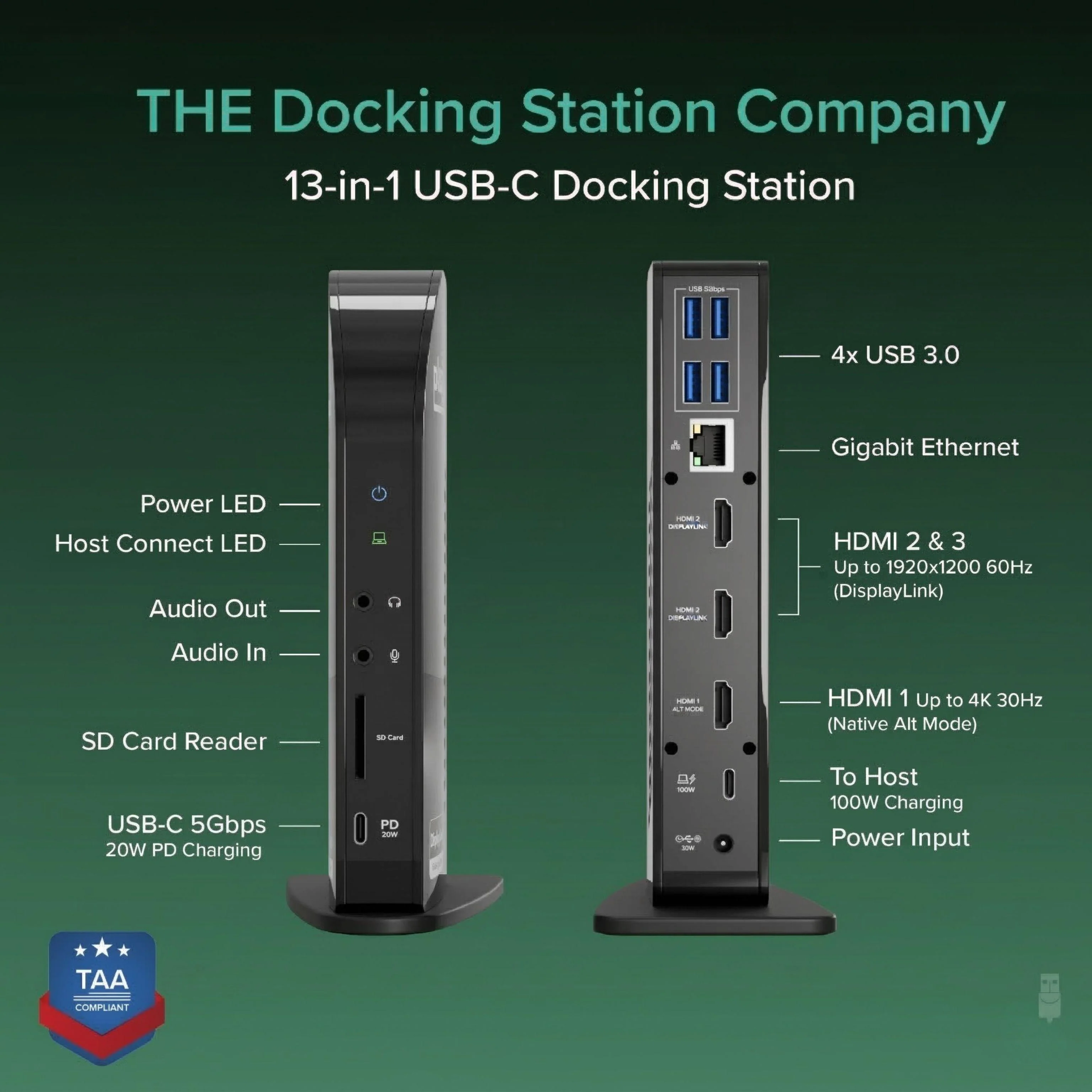
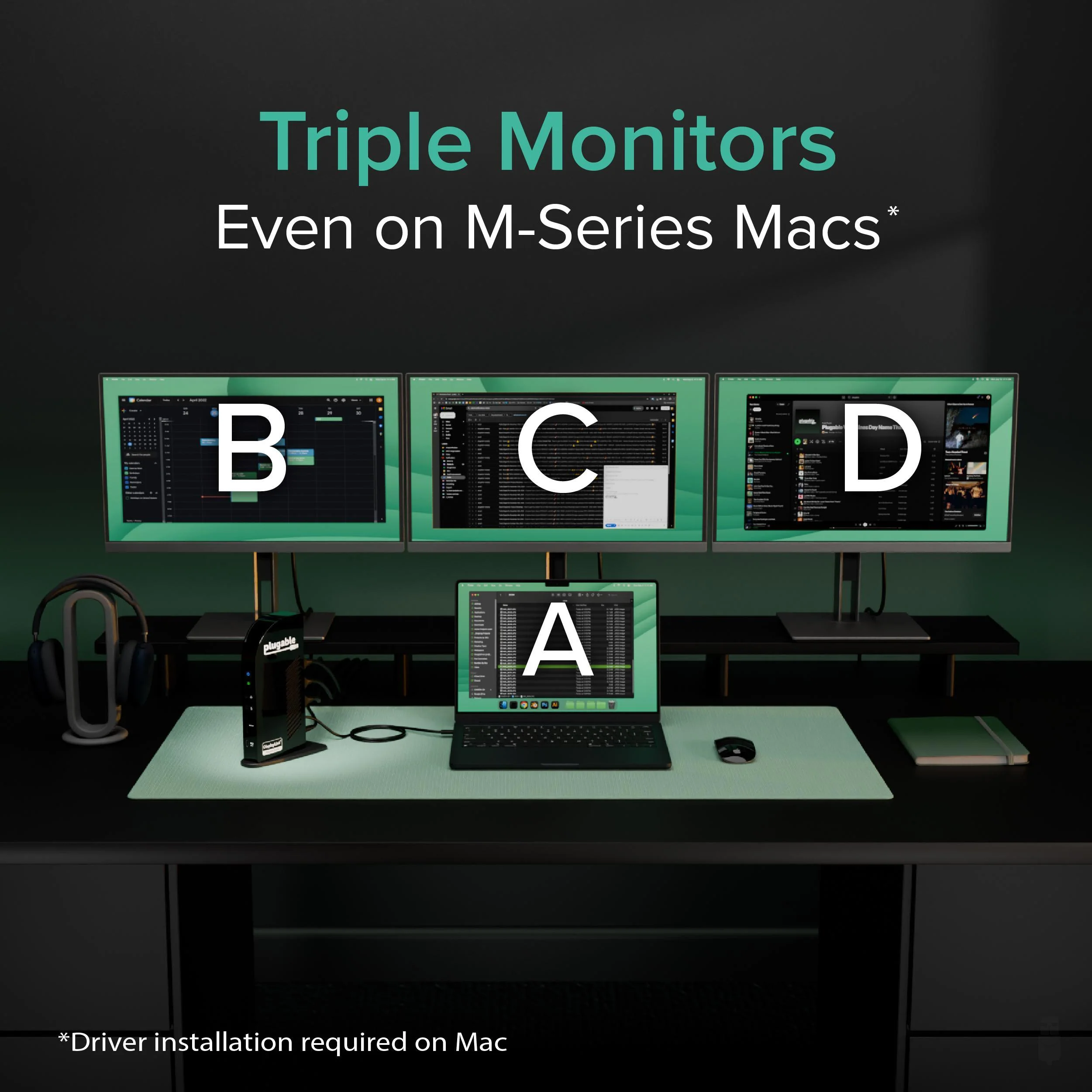
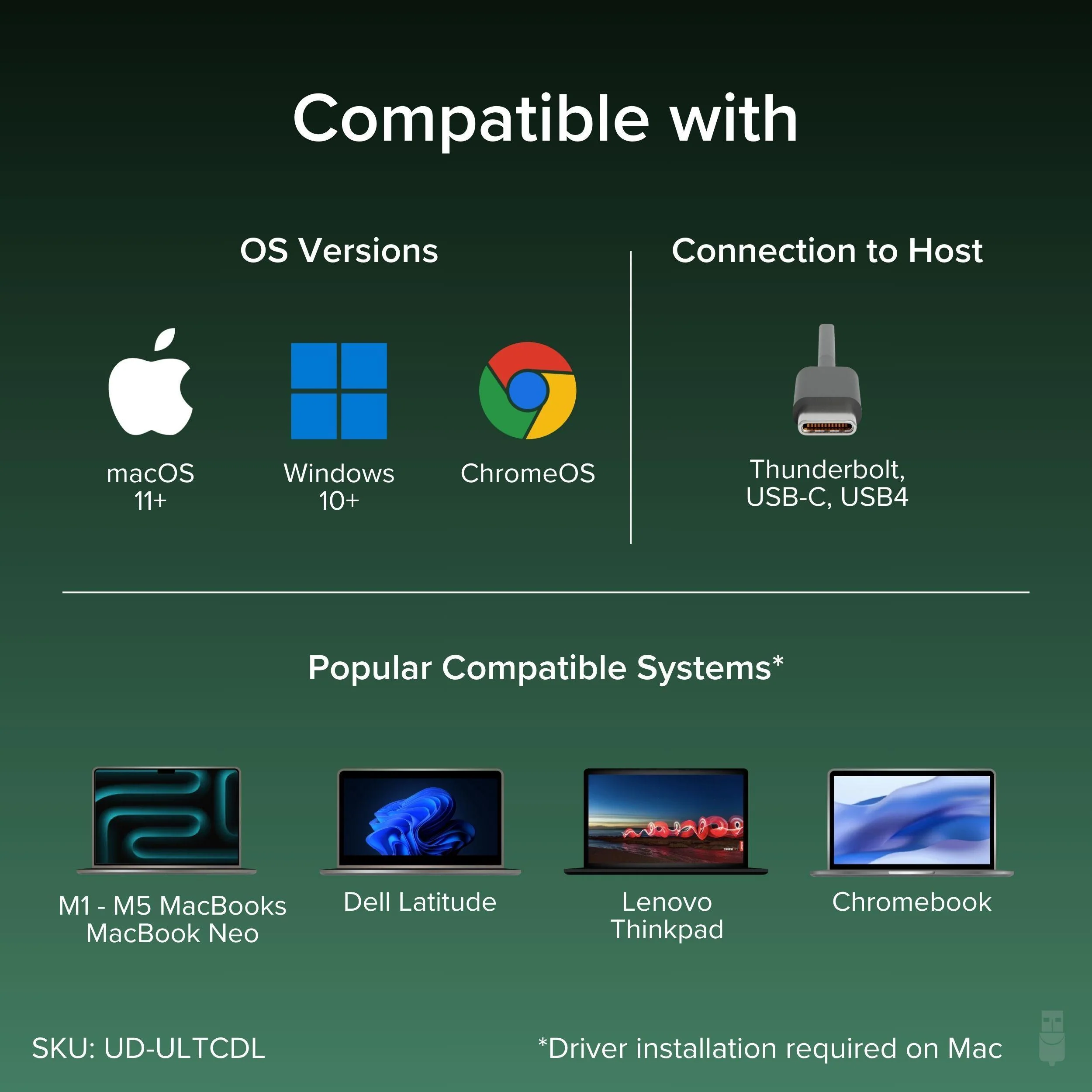
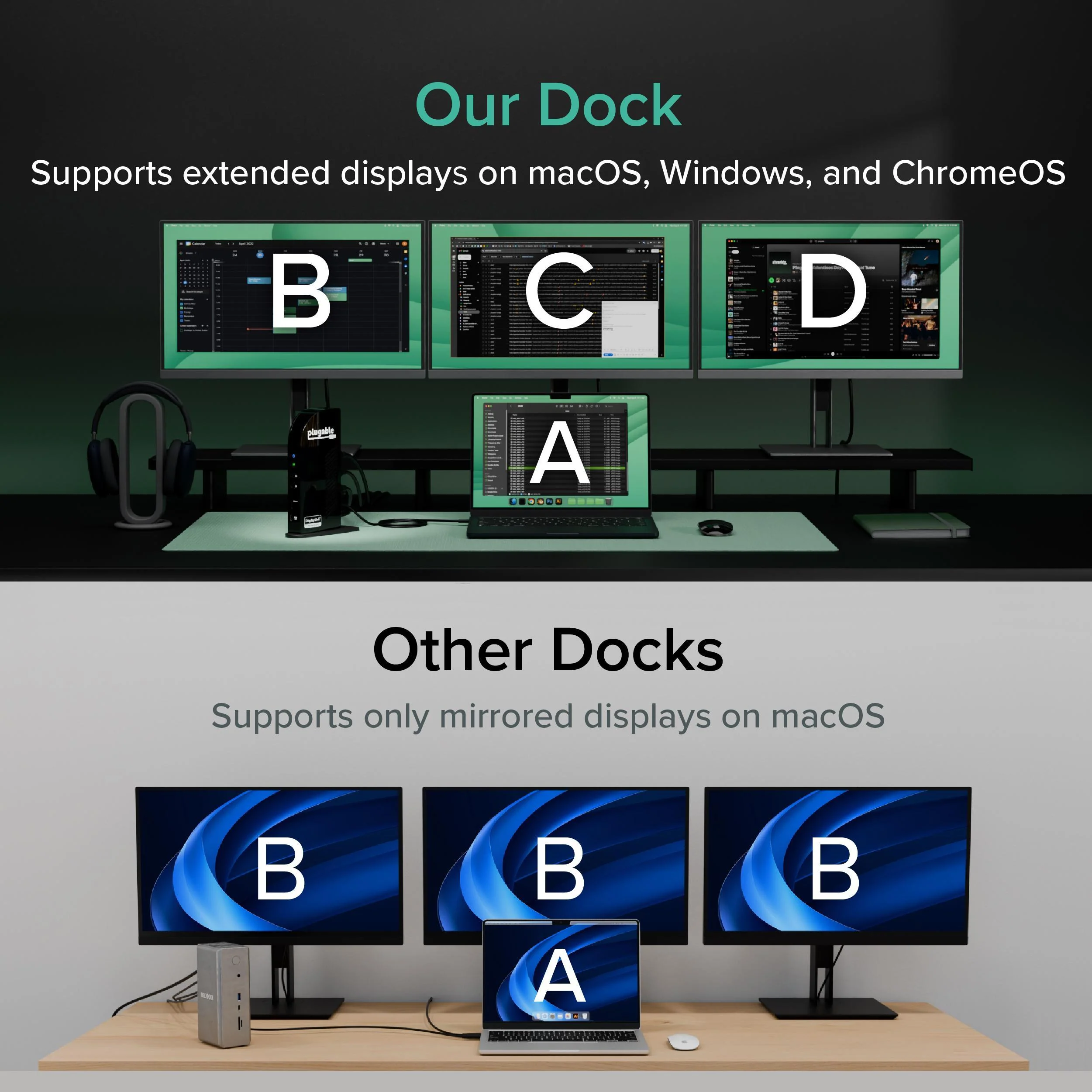
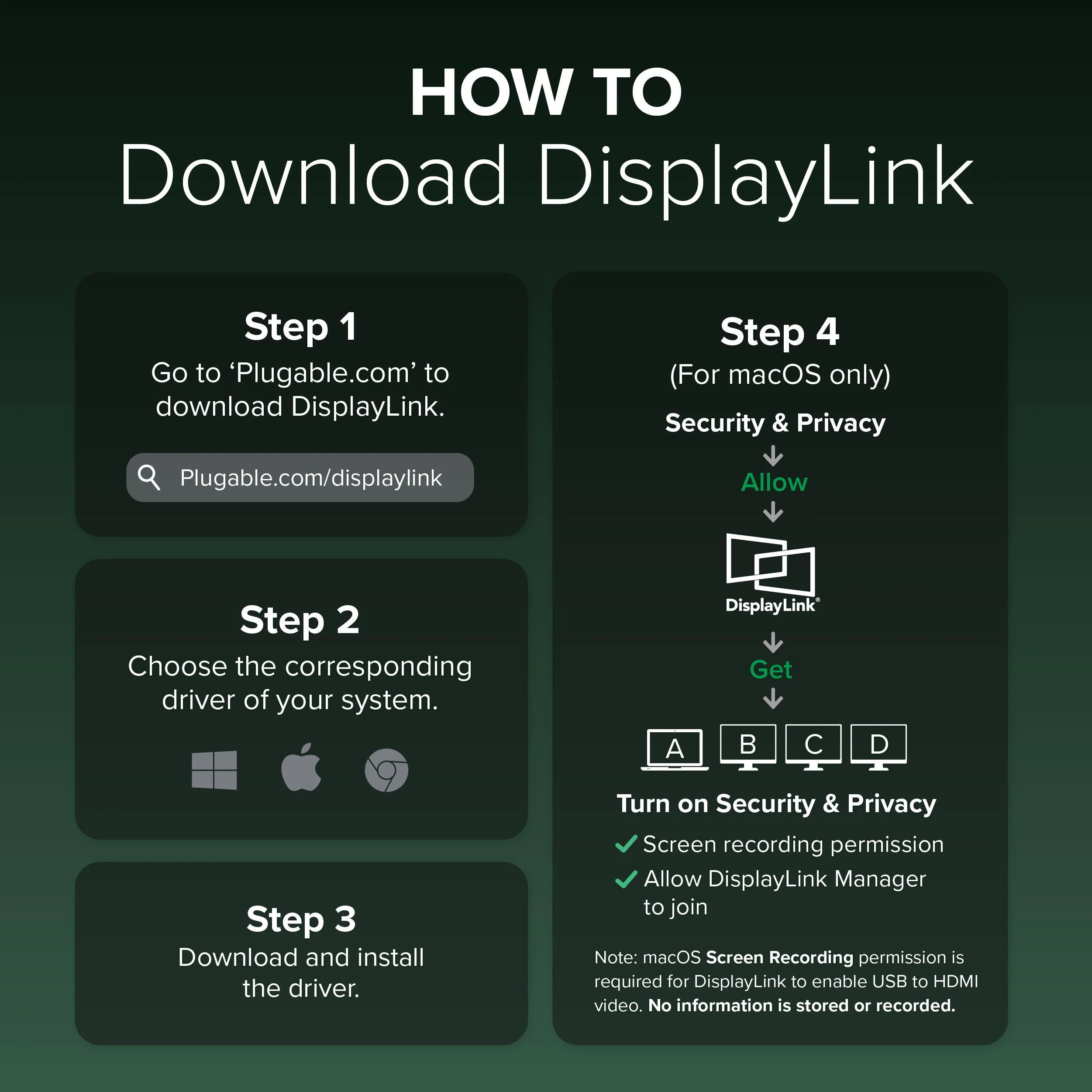
Powered by DisplayLink, this MacBook docking station can drive up to three extended displays from one USB-C connection, including on Macs that normally support only one external monitor. It also works as a usb c docking station dual monitor setup when you only need two screens. Video support depends on the HDMI port: HDMI 1 uses the computer’s native DisplayPort Alt Mode over USB-C for up to 4K@30Hz (or 1080p@60Hz when supported by the host), while HDMI 2 and HDMI 3 use DisplayLink USB graphics for up to 1920x1200@60Hz. DisplayLink outputs require DisplayLink drivers/DisplayLink Manager; with DisplayLink Manager installed, triple displays work on MacBook Neo, M1, M2, M3, M4, and M5.
Note: DisplayLink outputs do not support HDCP, so protected streaming (Netflix/Disney+/Hulu) may not play on HDMI 2/3. If you need 4K@60Hz to a TV, choose a dock that explicitly supports it, such as the Plugable UD-ULTC4K.
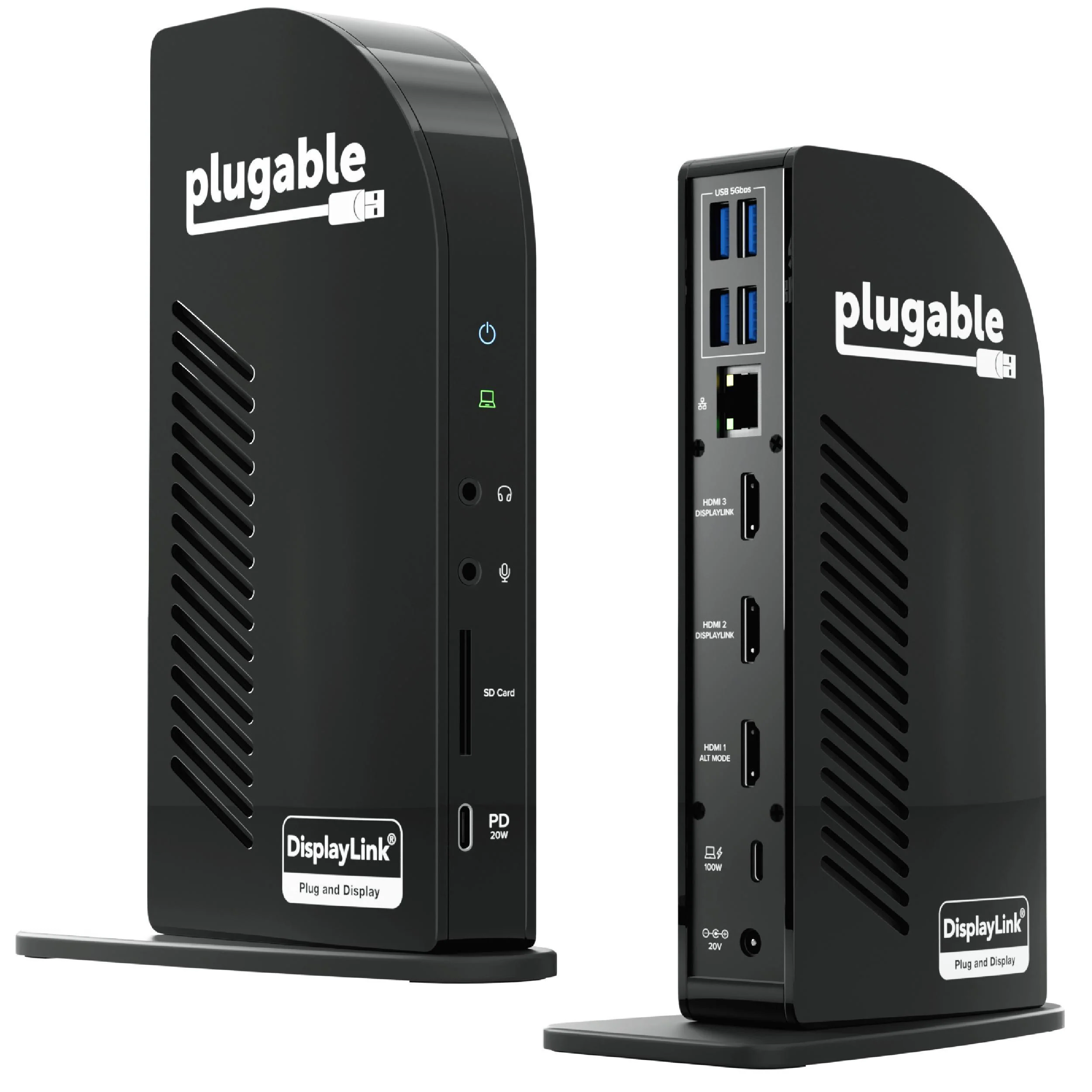
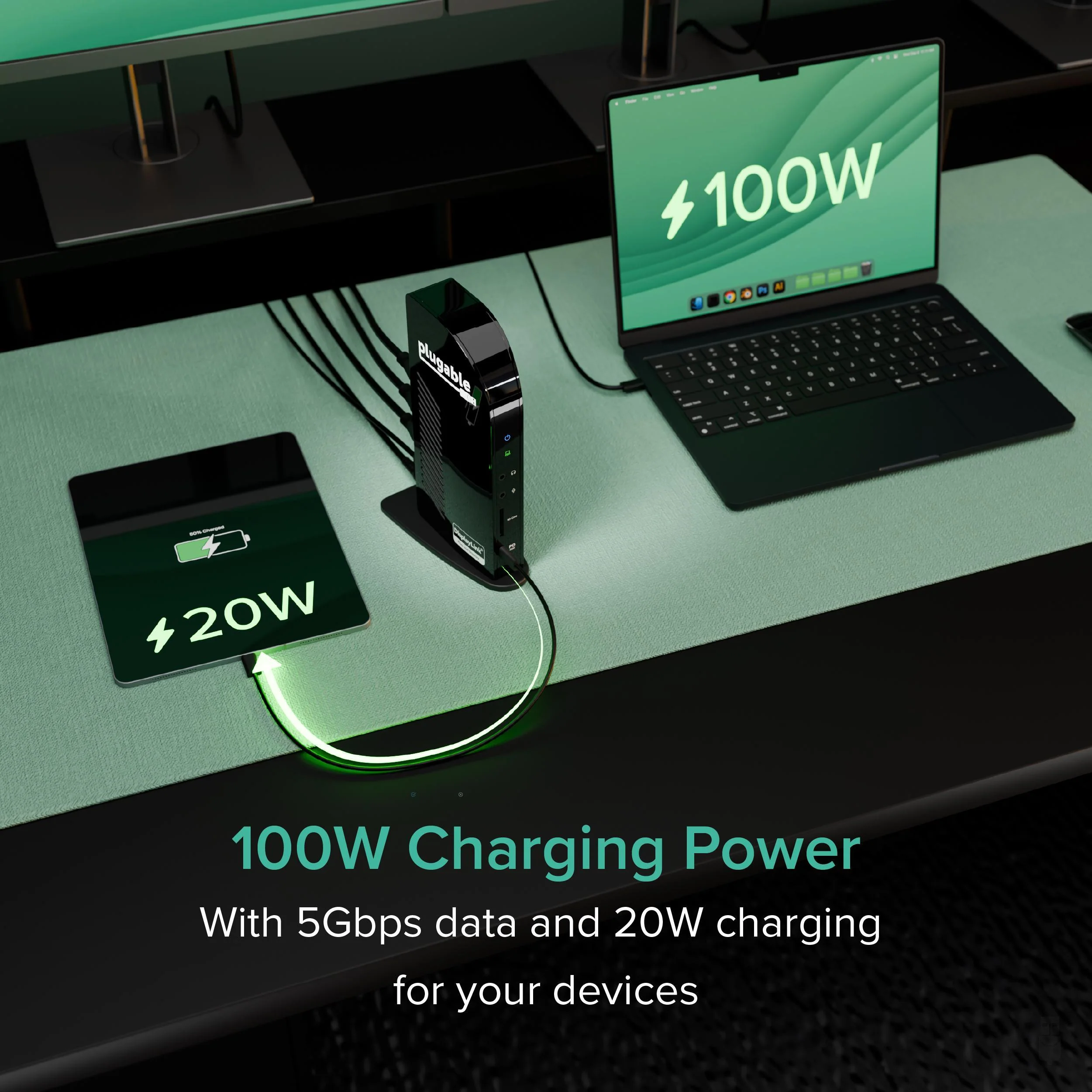
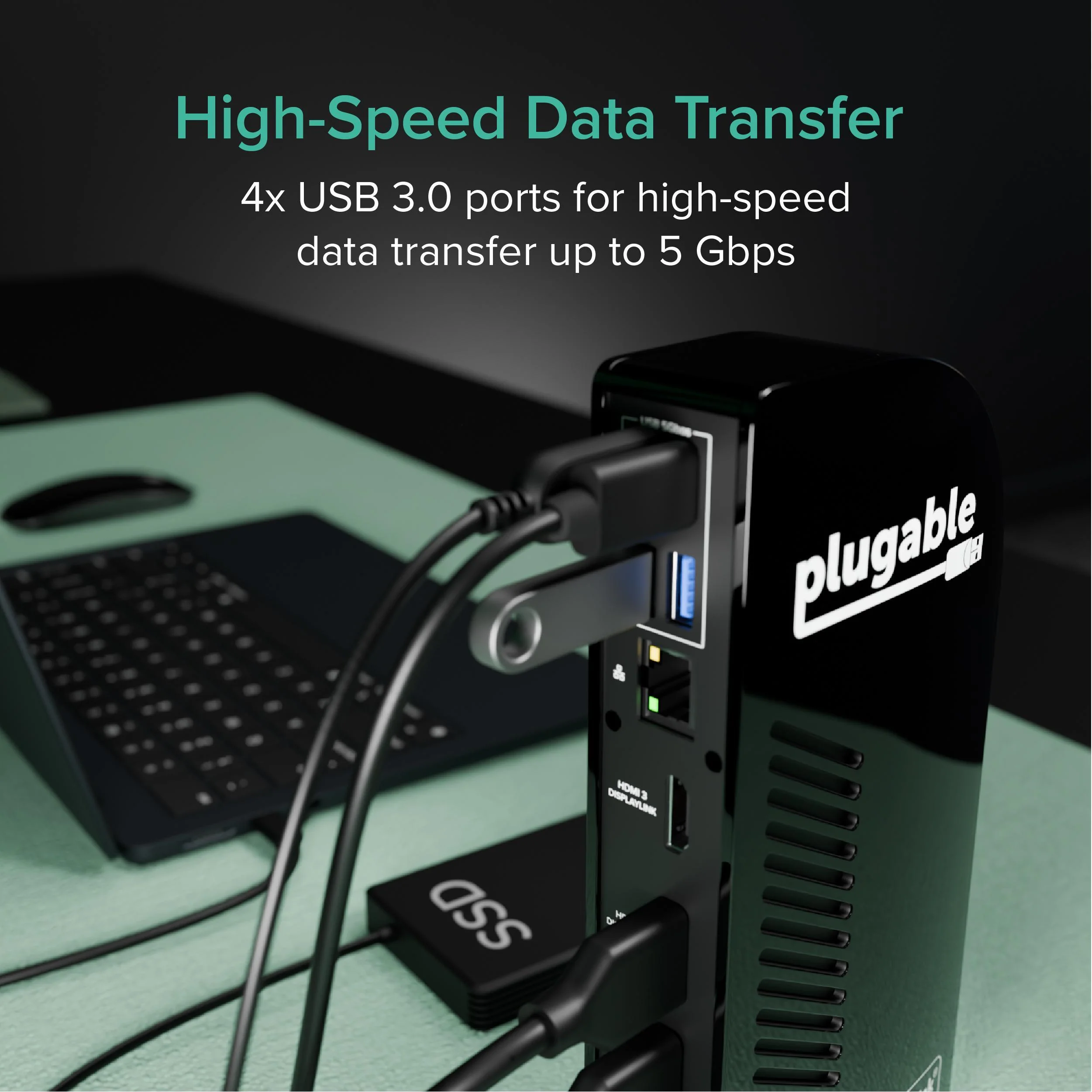
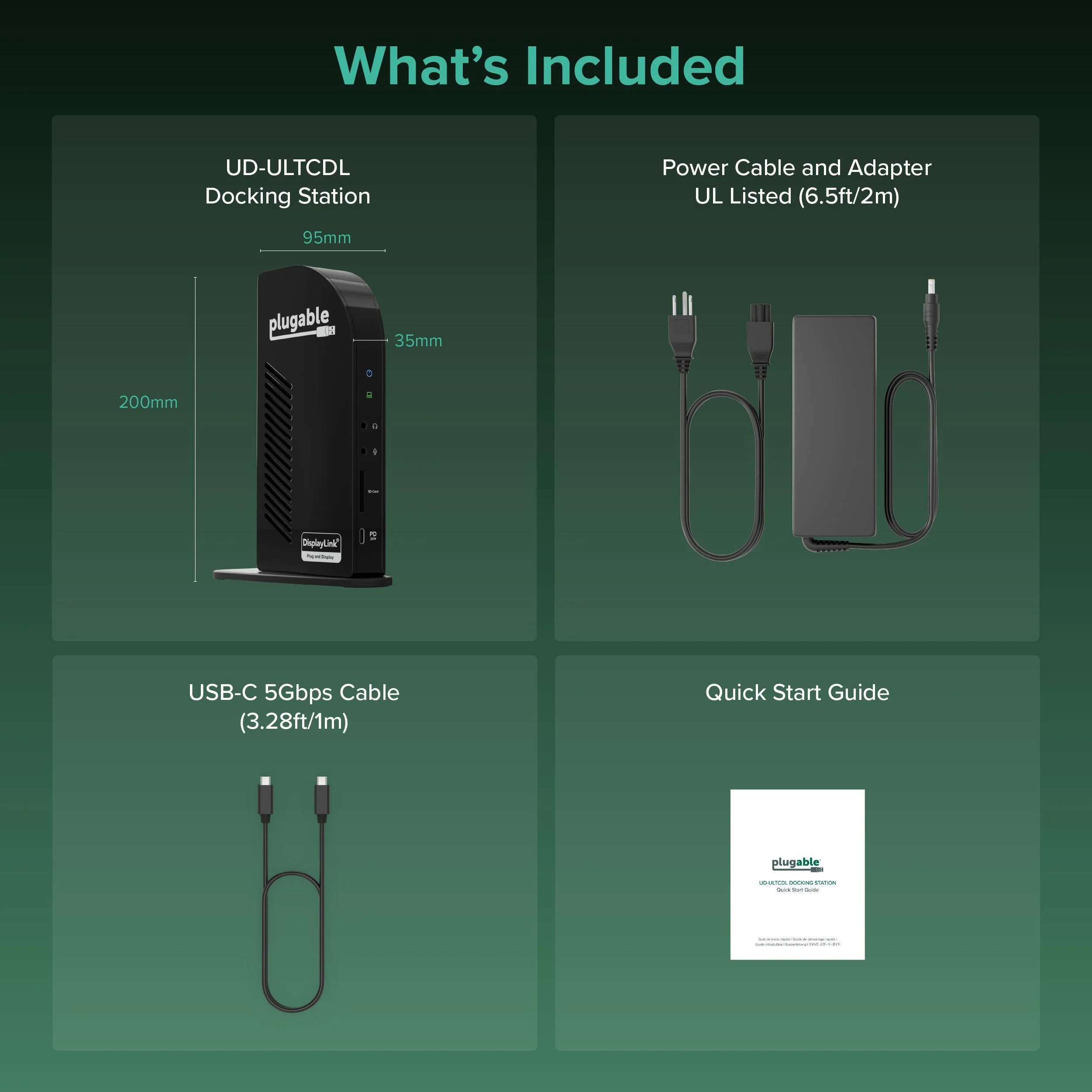
This 13-in-1 dock provides up to 100W USB-C Power Delivery to charge a laptop (rear USB-C) plus up to 20W USB-C PD on the front port for phones/accessories. Ports include 3x HDMI, 4x USB-A (up to 5Gbps), Gigabit Ethernet, SD card reader (SD/SDHC/SDXC/MMC), and 3.5mm audio in/out. UD-ULTCDL is not a Thunderbolt docking station. TAA compliant for government purchasing. VGA via an active HDMI-to-VGA adapter or a USB graphics adapter (e.g., Plugable UGA-3000); DisplayPort monitors not supported. In the box: dock, 1m USB-C cable, power adapter + 2m AC cord, quick start guide. Includes 2-year coverage with lifetime support from Plugable’s North American team
Powered by DisplayLink, this MacBook docking station can drive up to three extended displays from one USB-C connection, including on Macs that normally support only one external monitor. It also works as a usb c docking station dual monitor setup when you only need two screens. Video support depends on the HDMI port: HDMI 1 uses the computer’s native DisplayPort Alt Mode over USB-C for up to 4K@30Hz (or 1080p@60Hz when supported by the host), while HDMI 2 and HDMI 3 use DisplayLink USB graphics for up to 1920x1200@60Hz. DisplayLink outputs require DisplayLink drivers/DisplayLink Manager; with DisplayLink Manager installed, triple displays work on MacBook Neo, M1, M2, M3, M4, and M5.
Note: DisplayLink outputs do not support HDCP, so protected streaming (Netflix/Disney+/Hulu) may not play on HDMI 2/3. If you need 4K@60Hz to a TV, choose a dock that explicitly supports it, such as the Plugable UD-ULTC4K.
This 13-in-1 dock provides up to 100W USB-C Power Delivery to charge a laptop (rear USB-C) plus up to 20W USB-C PD on the front port for phones/accessories. Ports include 3x HDMI, 4x USB-A (up to 5Gbps), Gigabit Ethernet, SD card reader (SD/SDHC/SDXC/MMC), and 3.5mm audio in/out. UD-ULTCDL is not a Thunderbolt docking station. TAA compliant for government purchasing. VGA via an active HDMI-to-VGA adapter or a USB graphics adapter (e.g., Plugable UGA-3000); DisplayPort monitors not supported. In the box: dock, 1m USB-C cable, power adapter + 2m AC cord, quick start guide. Includes 2-year coverage with lifetime support from Plugable’s North American team
Product Information
Product Information
Shipping & Returns
Shipping & Returns
Plugable USB-C Triple Monitor Docking Station with 100W Laptop Charging
Plugable USB-C Triple Monitor Docking Station with 100W Laptop Charging
The Plugable UD-ULTCDL Triple Monitor USB-C Docking Station is an all-in-one solution for reliable multi-monitor productivity on Mac, Windows, and ChromeOS. Designed for home offices, corporate desks, and shared workspaces, this laptop dock connects displays, networking, audio, storage, and peripherals through a single USB-C cable.
Powered by DisplayLink, this MacBook docking station can drive up to three extended displays from one USB-C connection, including on Macs that normally support only one external monitor. It also works as a usb c docking station dual monitor setup when you only need two screens. Video support depends on the HDMI port: HDMI 1 uses the computer’s native DisplayPort Alt Mode over USB-C for up to 4K@30Hz (or 1080p@60Hz when supported by the host), while HDMI 2 and HDMI 3 use DisplayLink USB graphics for up to 1920x1200@60Hz. DisplayLink outputs require DisplayLink drivers/DisplayLink Manager; with DisplayLink Manager installed, triple displays work on MacBook Neo, M1, M2, M3, M4, and M5.
Note: DisplayLink outputs do not support HDCP, so protected streaming (Netflix/Disney+/Hulu) may not play on HDMI 2/3. If you need 4K@60Hz to a TV, choose a dock that explicitly supports it, such as the Plugable UD-ULTC4K.
This 13-in-1 dock provides up to 100W USB-C Power Delivery to charge a laptop (rear USB-C) plus up to 20W USB-C PD on the front port for phones/accessories. Ports include 3x HDMI, 4x USB-A (up to 5Gbps), Gigabit Ethernet, SD card reader (SD/SDHC/SDXC/MMC), and 3.5mm audio in/out. UD-ULTCDL is not a Thunderbolt docking station. TAA compliant for government purchasing. VGA via an active HDMI-to-VGA adapter or a USB graphics adapter (e.g., Plugable UGA-3000); DisplayPort monitors not supported. In the box: dock, 1m USB-C cable, power adapter + 2m AC cord, quick start guide. Includes 2-year coverage with lifetime support from Plugable’s North American team
Powered by DisplayLink, this MacBook docking station can drive up to three extended displays from one USB-C connection, including on Macs that normally support only one external monitor. It also works as a usb c docking station dual monitor setup when you only need two screens. Video support depends on the HDMI port: HDMI 1 uses the computer’s native DisplayPort Alt Mode over USB-C for up to 4K@30Hz (or 1080p@60Hz when supported by the host), while HDMI 2 and HDMI 3 use DisplayLink USB graphics for up to 1920x1200@60Hz. DisplayLink outputs require DisplayLink drivers/DisplayLink Manager; with DisplayLink Manager installed, triple displays work on MacBook Neo, M1, M2, M3, M4, and M5.
Note: DisplayLink outputs do not support HDCP, so protected streaming (Netflix/Disney+/Hulu) may not play on HDMI 2/3. If you need 4K@60Hz to a TV, choose a dock that explicitly supports it, such as the Plugable UD-ULTC4K.
This 13-in-1 dock provides up to 100W USB-C Power Delivery to charge a laptop (rear USB-C) plus up to 20W USB-C PD on the front port for phones/accessories. Ports include 3x HDMI, 4x USB-A (up to 5Gbps), Gigabit Ethernet, SD card reader (SD/SDHC/SDXC/MMC), and 3.5mm audio in/out. UD-ULTCDL is not a Thunderbolt docking station. TAA compliant for government purchasing. VGA via an active HDMI-to-VGA adapter or a USB graphics adapter (e.g., Plugable UGA-3000); DisplayPort monitors not supported. In the box: dock, 1m USB-C cable, power adapter + 2m AC cord, quick start guide. Includes 2-year coverage with lifetime support from Plugable’s North American team
$55.78
Original: $185.95
-70%Plugable USB-C Triple Monitor Docking Station with 100W Laptop Charging—
$185.95
$55.78Product Information
Product Information
Shipping & Returns
Shipping & Returns
Description
The Plugable UD-ULTCDL Triple Monitor USB-C Docking Station is an all-in-one solution for reliable multi-monitor productivity on Mac, Windows, and ChromeOS. Designed for home offices, corporate desks, and shared workspaces, this laptop dock connects displays, networking, audio, storage, and peripherals through a single USB-C cable.
Powered by DisplayLink, this MacBook docking station can drive up to three extended displays from one USB-C connection, including on Macs that normally support only one external monitor. It also works as a usb c docking station dual monitor setup when you only need two screens. Video support depends on the HDMI port: HDMI 1 uses the computer’s native DisplayPort Alt Mode over USB-C for up to 4K@30Hz (or 1080p@60Hz when supported by the host), while HDMI 2 and HDMI 3 use DisplayLink USB graphics for up to 1920x1200@60Hz. DisplayLink outputs require DisplayLink drivers/DisplayLink Manager; with DisplayLink Manager installed, triple displays work on MacBook Neo, M1, M2, M3, M4, and M5.
Note: DisplayLink outputs do not support HDCP, so protected streaming (Netflix/Disney+/Hulu) may not play on HDMI 2/3. If you need 4K@60Hz to a TV, choose a dock that explicitly supports it, such as the Plugable UD-ULTC4K.
This 13-in-1 dock provides up to 100W USB-C Power Delivery to charge a laptop (rear USB-C) plus up to 20W USB-C PD on the front port for phones/accessories. Ports include 3x HDMI, 4x USB-A (up to 5Gbps), Gigabit Ethernet, SD card reader (SD/SDHC/SDXC/MMC), and 3.5mm audio in/out. UD-ULTCDL is not a Thunderbolt docking station. TAA compliant for government purchasing. VGA via an active HDMI-to-VGA adapter or a USB graphics adapter (e.g., Plugable UGA-3000); DisplayPort monitors not supported. In the box: dock, 1m USB-C cable, power adapter + 2m AC cord, quick start guide. Includes 2-year coverage with lifetime support from Plugable’s North American team
Powered by DisplayLink, this MacBook docking station can drive up to three extended displays from one USB-C connection, including on Macs that normally support only one external monitor. It also works as a usb c docking station dual monitor setup when you only need two screens. Video support depends on the HDMI port: HDMI 1 uses the computer’s native DisplayPort Alt Mode over USB-C for up to 4K@30Hz (or 1080p@60Hz when supported by the host), while HDMI 2 and HDMI 3 use DisplayLink USB graphics for up to 1920x1200@60Hz. DisplayLink outputs require DisplayLink drivers/DisplayLink Manager; with DisplayLink Manager installed, triple displays work on MacBook Neo, M1, M2, M3, M4, and M5.
Note: DisplayLink outputs do not support HDCP, so protected streaming (Netflix/Disney+/Hulu) may not play on HDMI 2/3. If you need 4K@60Hz to a TV, choose a dock that explicitly supports it, such as the Plugable UD-ULTC4K.
This 13-in-1 dock provides up to 100W USB-C Power Delivery to charge a laptop (rear USB-C) plus up to 20W USB-C PD on the front port for phones/accessories. Ports include 3x HDMI, 4x USB-A (up to 5Gbps), Gigabit Ethernet, SD card reader (SD/SDHC/SDXC/MMC), and 3.5mm audio in/out. UD-ULTCDL is not a Thunderbolt docking station. TAA compliant for government purchasing. VGA via an active HDMI-to-VGA adapter or a USB graphics adapter (e.g., Plugable UGA-3000); DisplayPort monitors not supported. In the box: dock, 1m USB-C cable, power adapter + 2m AC cord, quick start guide. Includes 2-year coverage with lifetime support from Plugable’s North American team