Plugable USB-C Docking Station for 4 Monitor Setup, 96W Laptop Charging
4 Monitor Docking Station for Ultimate Productivity
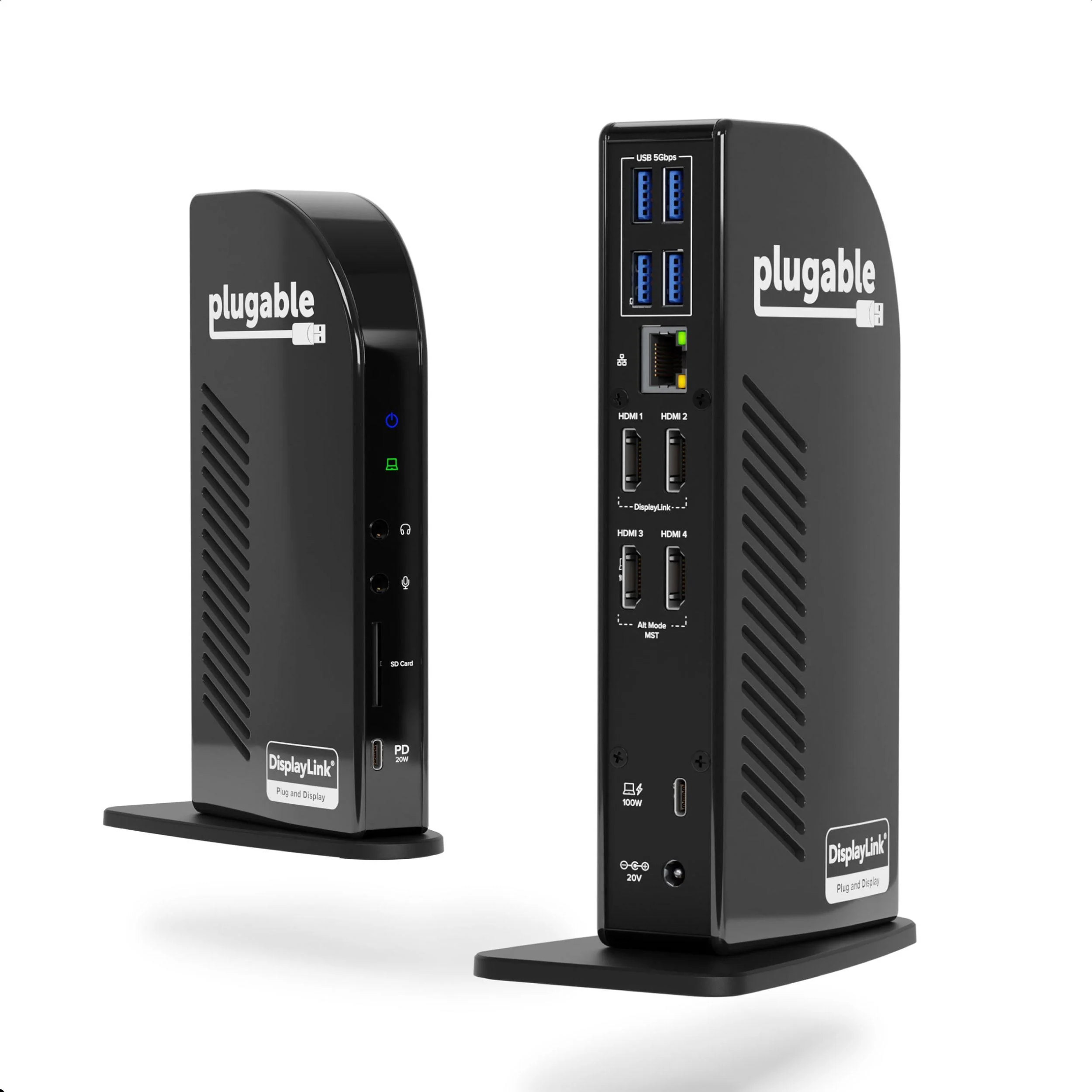
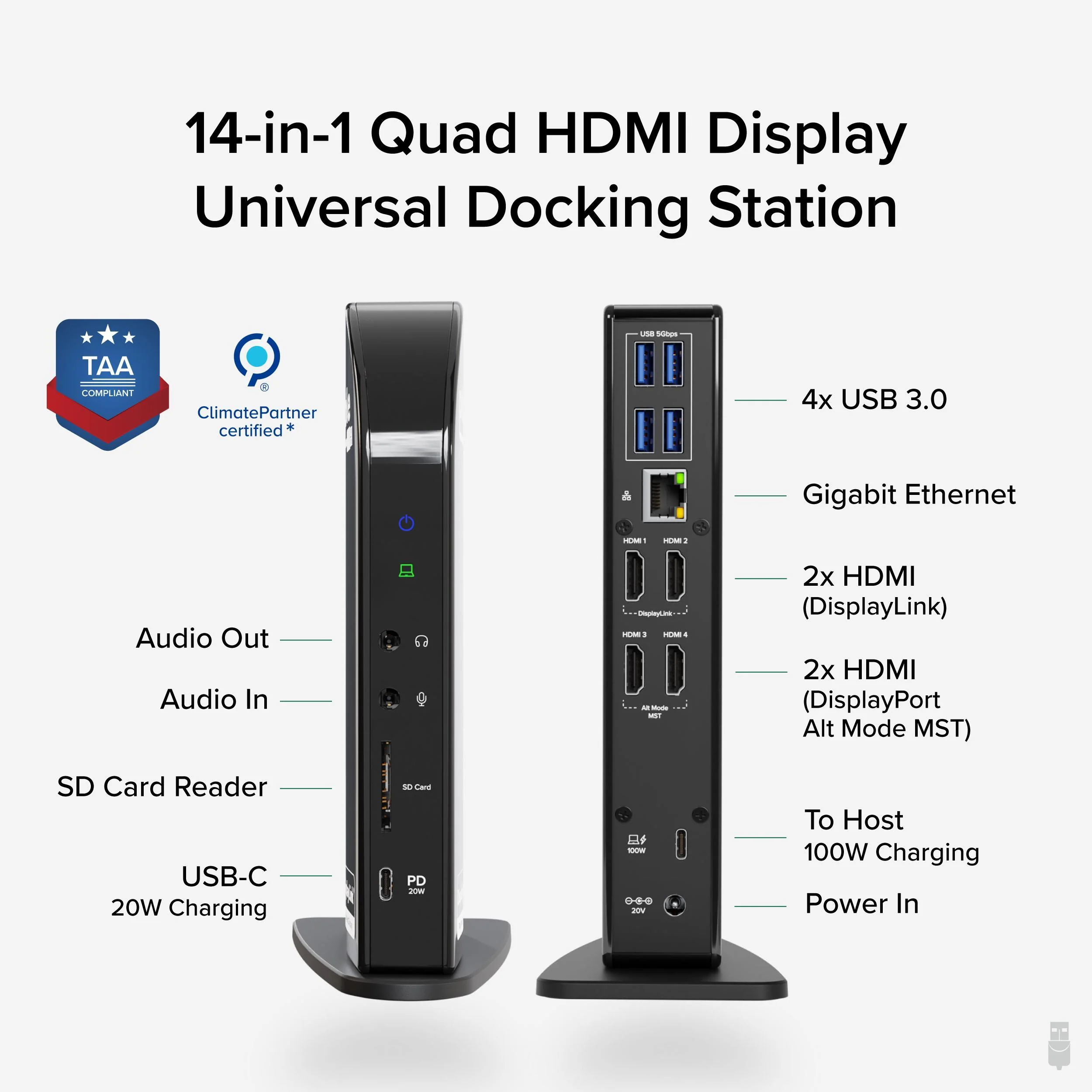
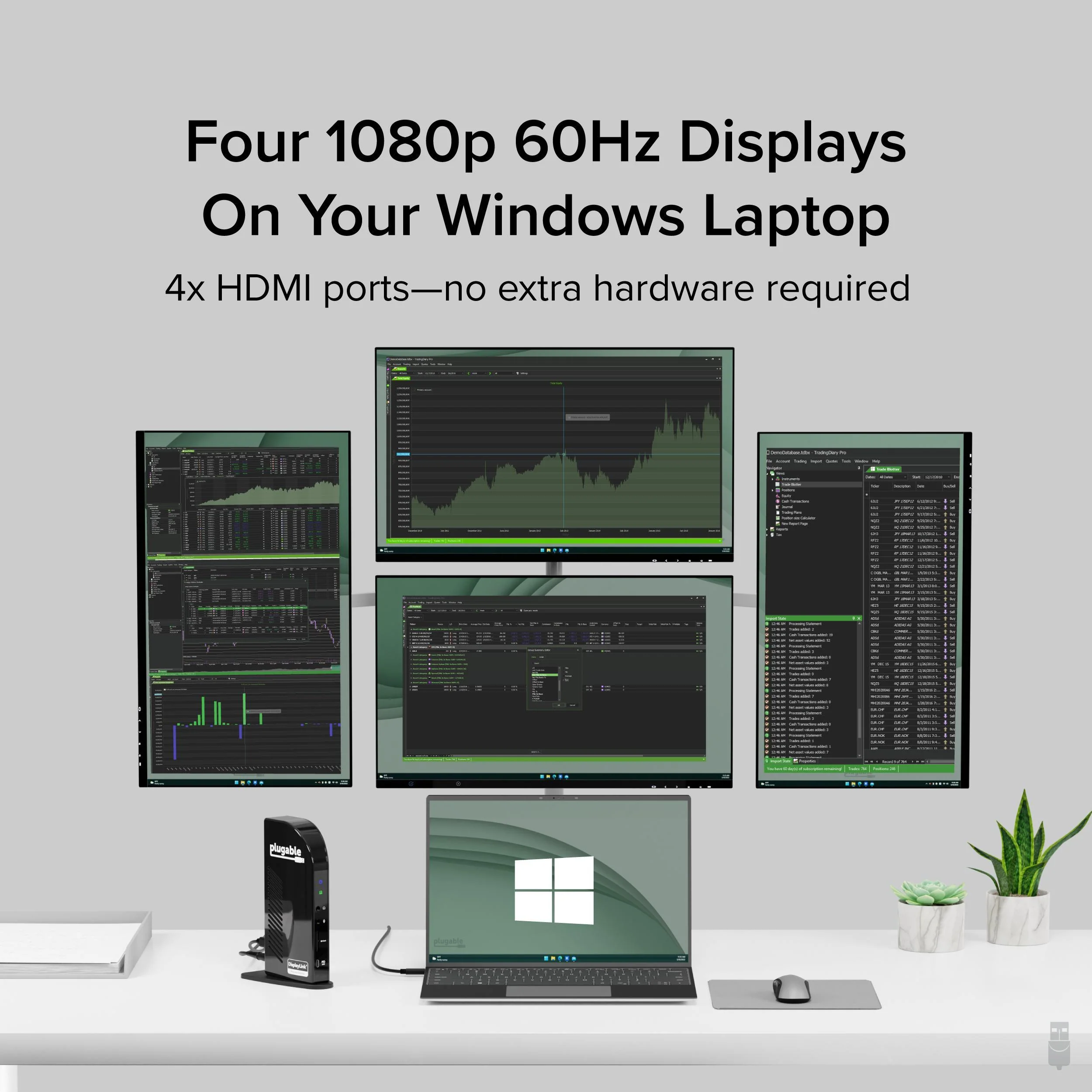
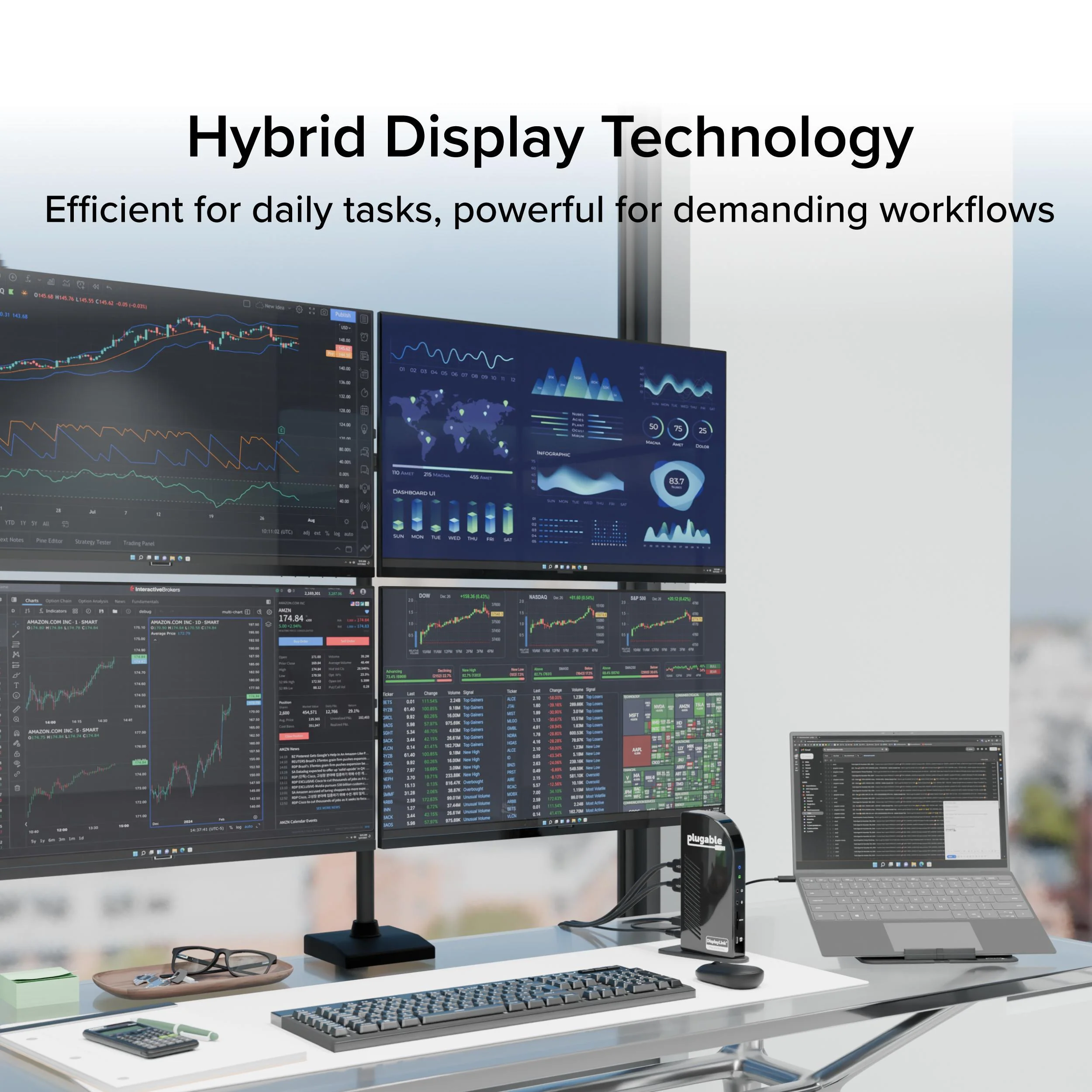
The Plugable UD-3900C4 is the only solution of it’s kind - it’s the only quad monitor docking station combining DisplayLink and MST (multi-stream Transport) Alt mode technologies to deliver seamless four display expansion over USB-C. This TAA-compliant universal docking station drives four extended 1080p displays at 60Hz, with HDMI 1-2 powered by DisplayLink and HDMI 3-4 powered by MST Alt Mode. No other dock offers this hybrid integration, giving you unmatched flexibility in display configurations.
Whether you're configuring a hot-desk environment, building out a permanent fixed workstation, or designing a multi-display content creation suite, this docking station for 4 monitors transforms your setup with performance and connectivity that cant’ be found anywhere else.
Powerful Ports to Power Through Work
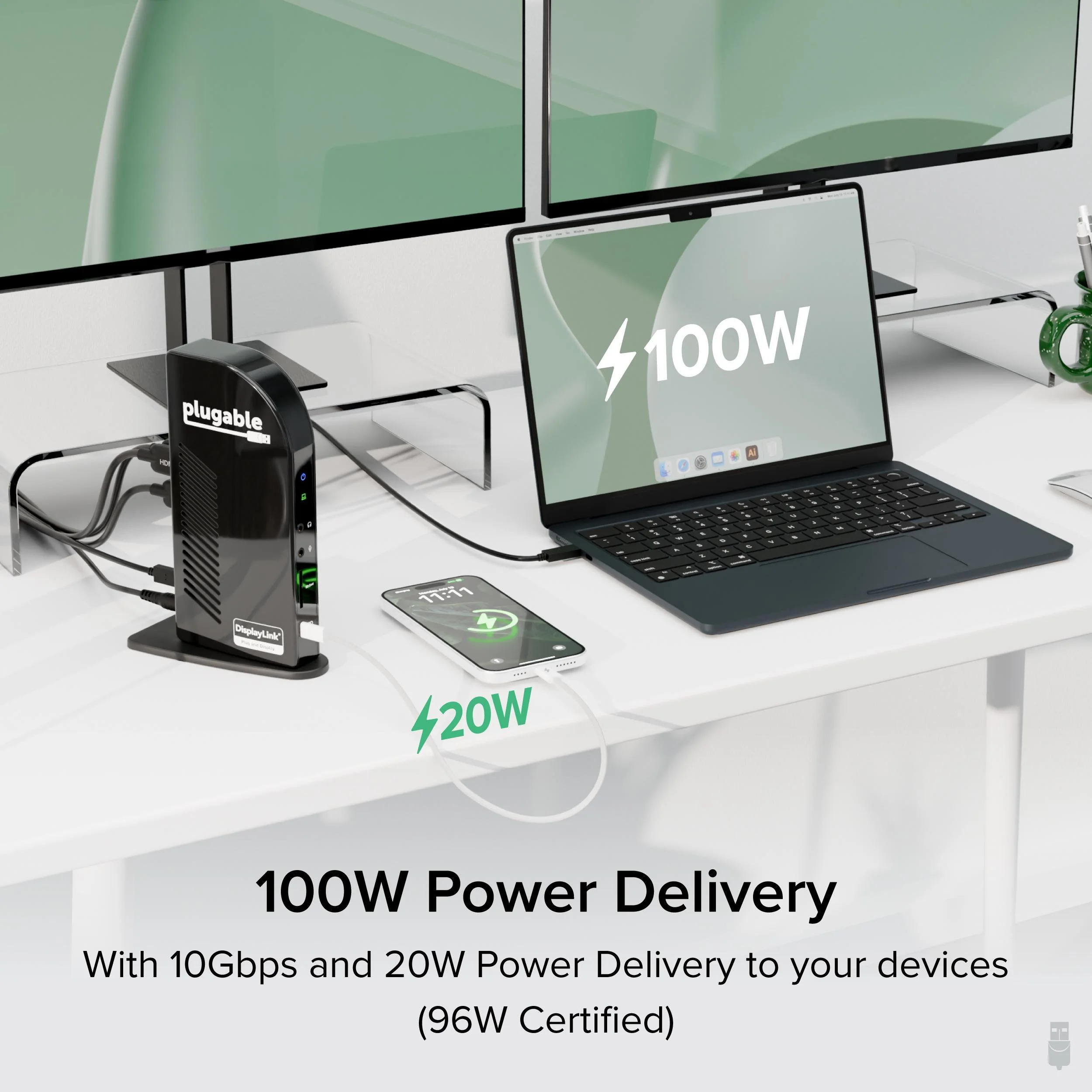
This USB dock goes beyond displays. It features a USB-C port with 20W charging, four 5Gbps USB 3.0 ports, Gigabit Ethernet, audio in/out, and an SD Card Reader - offering everything you need to stay connected and productive. Plus, with up to 96W power delivery to your laptop, your system stays charged and ready to perform.
System Compatibility
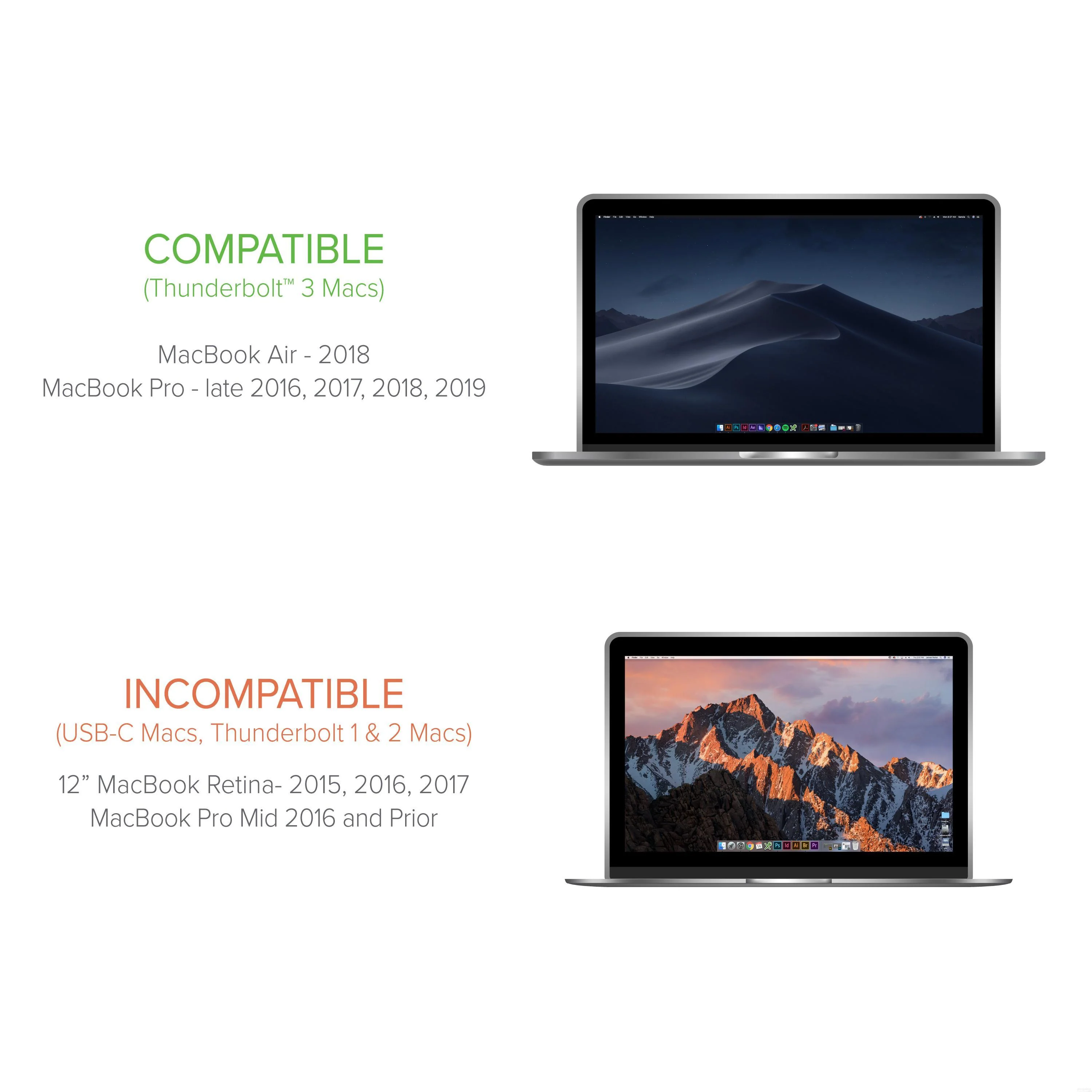
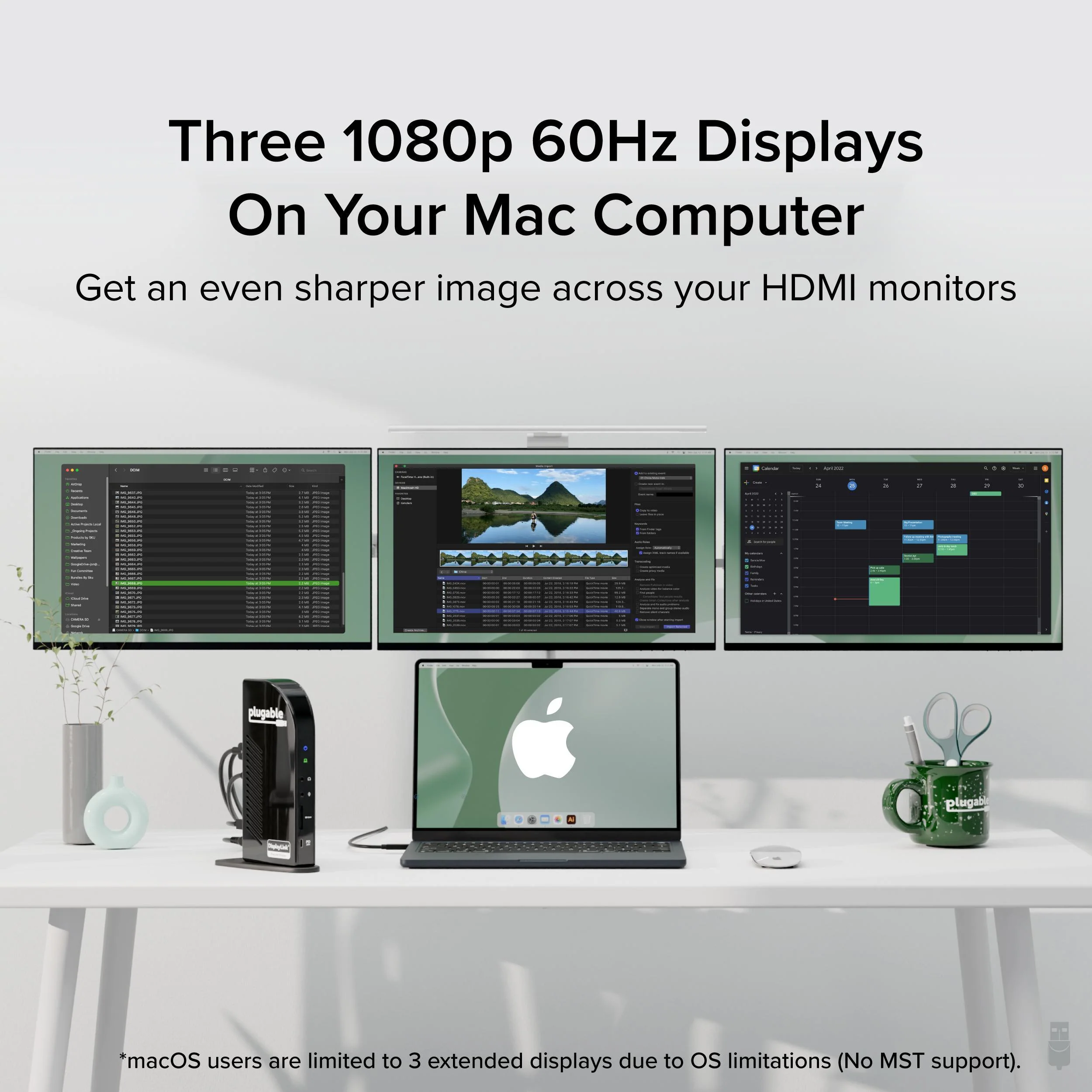
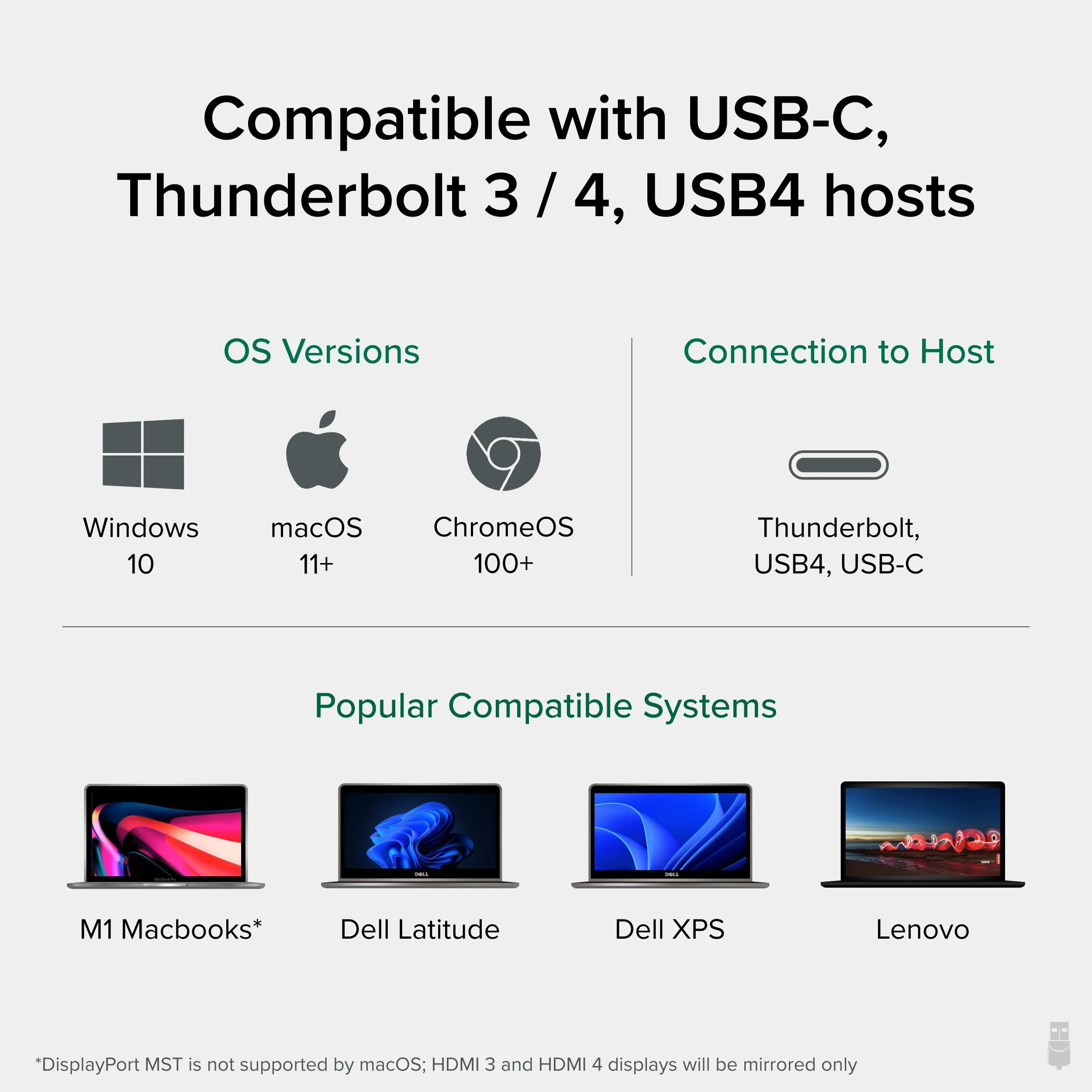
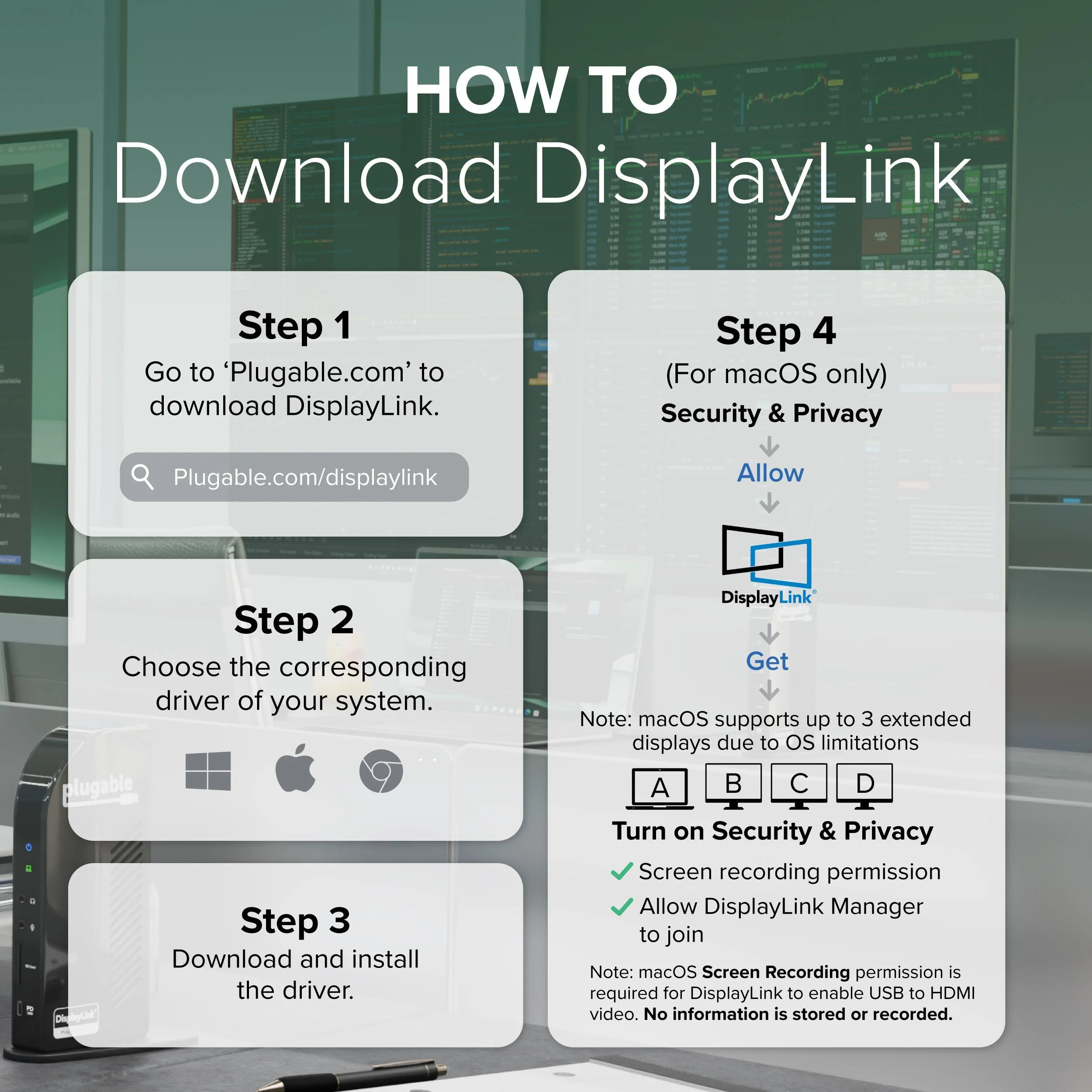
Fully compatible with Windows 10 or later and ChromeOS 100+, the UD-3900C4 works with USB4, Thunderbolt 3/4, and USB-C hosts. Requires DisplayLink drivers (automatically installed with Windows Update). While it functions as a triple display docking station on macOS, the fourth display will mirror due to macOS’s lack of MST support.
Lifetime Support
Every Plugable product is backed by a 2-year warranty and lifetime support. Our US-based team is ready to assist before and after your purchase to ensure your docking experience is seamless.
Included in the Box
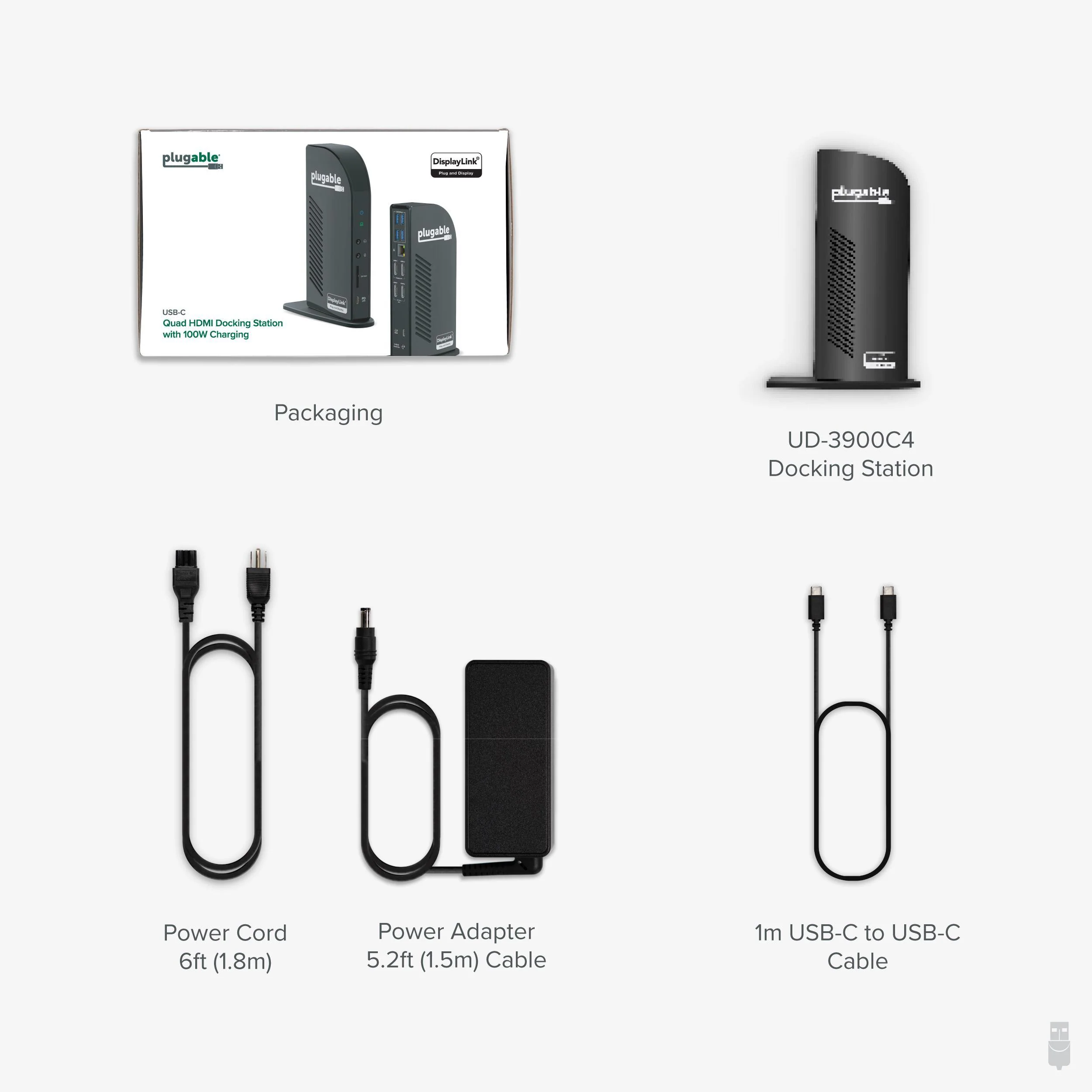
- The Plugable UD-3900C4
- Power Adapter and Cord
- USB-C to USB-C Cable (1m / 3.3 ft): For host connection
- Quick Start Guide: Easy setup instructions for DisplayLink driver installation and port usage
The Plugable UD-3900C4 is the only solution of it’s kind - it’s the only quad monitor docking station combining DisplayLink and MST (multi-stream Transport) Alt mode technologies to deliver seamless four display expansion over USB-C. This TAA-compliant universal docking station drives four extended 1080p displays at 60Hz, with HDMI 1-2 powered by DisplayLink and HDMI 3-4 powered by MST Alt Mode. No other dock offers this hybrid integration, giving you unmatched flexibility in display configurations.
Whether you're configuring a hot-desk environment, building out a permanent fixed workstation, or designing a multi-display content creation suite, this docking station for 4 monitors transforms your setup with performance and connectivity that cant’ be found anywhere else.
Powerful Ports to Power Through Work
This USB dock goes beyond displays. It features a USB-C port with 20W charging, four 5Gbps USB 3.0 ports, Gigabit Ethernet, audio in/out, and an SD Card Reader - offering everything you need to stay connected and productive. Plus, with up to 96W power delivery to your laptop, your system stays charged and ready to perform.
System Compatibility
Fully compatible with Windows 10 or later and ChromeOS 100+, the UD-3900C4 works with USB4, Thunderbolt 3/4, and USB-C hosts. Requires DisplayLink drivers (automatically installed with Windows Update). While it functions as a triple display docking station on macOS, the fourth display will mirror due to macOS’s lack of MST support.
Lifetime Support
Every Plugable product is backed by a 2-year warranty and lifetime support. Our US-based team is ready to assist before and after your purchase to ensure your docking experience is seamless.
Included in the Box
- The Plugable UD-3900C4
- Power Adapter and Cord
- USB-C to USB-C Cable (1m / 3.3 ft): For host connection
- Quick Start Guide: Easy setup instructions for DisplayLink driver installation and port usage
Product Information
Product Information
Shipping & Returns
Shipping & Returns
Plugable USB-C Docking Station for 4 Monitor Setup, 96W Laptop Charging
Plugable USB-C Docking Station for 4 Monitor Setup, 96W Laptop Charging
4 Monitor Docking Station for Ultimate Productivity
The Plugable UD-3900C4 is the only solution of it’s kind - it’s the only quad monitor docking station combining DisplayLink and MST (multi-stream Transport) Alt mode technologies to deliver seamless four display expansion over USB-C. This TAA-compliant universal docking station drives four extended 1080p displays at 60Hz, with HDMI 1-2 powered by DisplayLink and HDMI 3-4 powered by MST Alt Mode. No other dock offers this hybrid integration, giving you unmatched flexibility in display configurations.
Whether you're configuring a hot-desk environment, building out a permanent fixed workstation, or designing a multi-display content creation suite, this docking station for 4 monitors transforms your setup with performance and connectivity that cant’ be found anywhere else.
Powerful Ports to Power Through Work
This USB dock goes beyond displays. It features a USB-C port with 20W charging, four 5Gbps USB 3.0 ports, Gigabit Ethernet, audio in/out, and an SD Card Reader - offering everything you need to stay connected and productive. Plus, with up to 96W power delivery to your laptop, your system stays charged and ready to perform.
System Compatibility
Fully compatible with Windows 10 or later and ChromeOS 100+, the UD-3900C4 works with USB4, Thunderbolt 3/4, and USB-C hosts. Requires DisplayLink drivers (automatically installed with Windows Update). While it functions as a triple display docking station on macOS, the fourth display will mirror due to macOS’s lack of MST support.
Lifetime Support
Every Plugable product is backed by a 2-year warranty and lifetime support. Our US-based team is ready to assist before and after your purchase to ensure your docking experience is seamless.
Included in the Box
- The Plugable UD-3900C4
- Power Adapter and Cord
- USB-C to USB-C Cable (1m / 3.3 ft): For host connection
- Quick Start Guide: Easy setup instructions for DisplayLink driver installation and port usage
The Plugable UD-3900C4 is the only solution of it’s kind - it’s the only quad monitor docking station combining DisplayLink and MST (multi-stream Transport) Alt mode technologies to deliver seamless four display expansion over USB-C. This TAA-compliant universal docking station drives four extended 1080p displays at 60Hz, with HDMI 1-2 powered by DisplayLink and HDMI 3-4 powered by MST Alt Mode. No other dock offers this hybrid integration, giving you unmatched flexibility in display configurations.
Whether you're configuring a hot-desk environment, building out a permanent fixed workstation, or designing a multi-display content creation suite, this docking station for 4 monitors transforms your setup with performance and connectivity that cant’ be found anywhere else.
Powerful Ports to Power Through Work
This USB dock goes beyond displays. It features a USB-C port with 20W charging, four 5Gbps USB 3.0 ports, Gigabit Ethernet, audio in/out, and an SD Card Reader - offering everything you need to stay connected and productive. Plus, with up to 96W power delivery to your laptop, your system stays charged and ready to perform.
System Compatibility
Fully compatible with Windows 10 or later and ChromeOS 100+, the UD-3900C4 works with USB4, Thunderbolt 3/4, and USB-C hosts. Requires DisplayLink drivers (automatically installed with Windows Update). While it functions as a triple display docking station on macOS, the fourth display will mirror due to macOS’s lack of MST support.
Lifetime Support
Every Plugable product is backed by a 2-year warranty and lifetime support. Our US-based team is ready to assist before and after your purchase to ensure your docking experience is seamless.
Included in the Box
- The Plugable UD-3900C4
- Power Adapter and Cord
- USB-C to USB-C Cable (1m / 3.3 ft): For host connection
- Quick Start Guide: Easy setup instructions for DisplayLink driver installation and port usage
$71.98
Original: $239.95
-70%Plugable USB-C Docking Station for 4 Monitor Setup, 96W Laptop Charging—
$239.95
$71.98Product Information
Product Information
Shipping & Returns
Shipping & Returns
Description
4 Monitor Docking Station for Ultimate Productivity
The Plugable UD-3900C4 is the only solution of it’s kind - it’s the only quad monitor docking station combining DisplayLink and MST (multi-stream Transport) Alt mode technologies to deliver seamless four display expansion over USB-C. This TAA-compliant universal docking station drives four extended 1080p displays at 60Hz, with HDMI 1-2 powered by DisplayLink and HDMI 3-4 powered by MST Alt Mode. No other dock offers this hybrid integration, giving you unmatched flexibility in display configurations.
Whether you're configuring a hot-desk environment, building out a permanent fixed workstation, or designing a multi-display content creation suite, this docking station for 4 monitors transforms your setup with performance and connectivity that cant’ be found anywhere else.
Powerful Ports to Power Through Work
This USB dock goes beyond displays. It features a USB-C port with 20W charging, four 5Gbps USB 3.0 ports, Gigabit Ethernet, audio in/out, and an SD Card Reader - offering everything you need to stay connected and productive. Plus, with up to 96W power delivery to your laptop, your system stays charged and ready to perform.
System Compatibility
Fully compatible with Windows 10 or later and ChromeOS 100+, the UD-3900C4 works with USB4, Thunderbolt 3/4, and USB-C hosts. Requires DisplayLink drivers (automatically installed with Windows Update). While it functions as a triple display docking station on macOS, the fourth display will mirror due to macOS’s lack of MST support.
Lifetime Support
Every Plugable product is backed by a 2-year warranty and lifetime support. Our US-based team is ready to assist before and after your purchase to ensure your docking experience is seamless.
Included in the Box
- The Plugable UD-3900C4
- Power Adapter and Cord
- USB-C to USB-C Cable (1m / 3.3 ft): For host connection
- Quick Start Guide: Easy setup instructions for DisplayLink driver installation and port usage
The Plugable UD-3900C4 is the only solution of it’s kind - it’s the only quad monitor docking station combining DisplayLink and MST (multi-stream Transport) Alt mode technologies to deliver seamless four display expansion over USB-C. This TAA-compliant universal docking station drives four extended 1080p displays at 60Hz, with HDMI 1-2 powered by DisplayLink and HDMI 3-4 powered by MST Alt Mode. No other dock offers this hybrid integration, giving you unmatched flexibility in display configurations.
Whether you're configuring a hot-desk environment, building out a permanent fixed workstation, or designing a multi-display content creation suite, this docking station for 4 monitors transforms your setup with performance and connectivity that cant’ be found anywhere else.
Powerful Ports to Power Through Work
This USB dock goes beyond displays. It features a USB-C port with 20W charging, four 5Gbps USB 3.0 ports, Gigabit Ethernet, audio in/out, and an SD Card Reader - offering everything you need to stay connected and productive. Plus, with up to 96W power delivery to your laptop, your system stays charged and ready to perform.
System Compatibility
Fully compatible with Windows 10 or later and ChromeOS 100+, the UD-3900C4 works with USB4, Thunderbolt 3/4, and USB-C hosts. Requires DisplayLink drivers (automatically installed with Windows Update). While it functions as a triple display docking station on macOS, the fourth display will mirror due to macOS’s lack of MST support.
Lifetime Support
Every Plugable product is backed by a 2-year warranty and lifetime support. Our US-based team is ready to assist before and after your purchase to ensure your docking experience is seamless.
Included in the Box
- The Plugable UD-3900C4
- Power Adapter and Cord
- USB-C to USB-C Cable (1m / 3.3 ft): For host connection
- Quick Start Guide: Easy setup instructions for DisplayLink driver installation and port usage