Plugable USB 3.0 and USB-C Docking Station with Displaylink Technology
Dual Display Docking Station Designed for the Hybrid Office
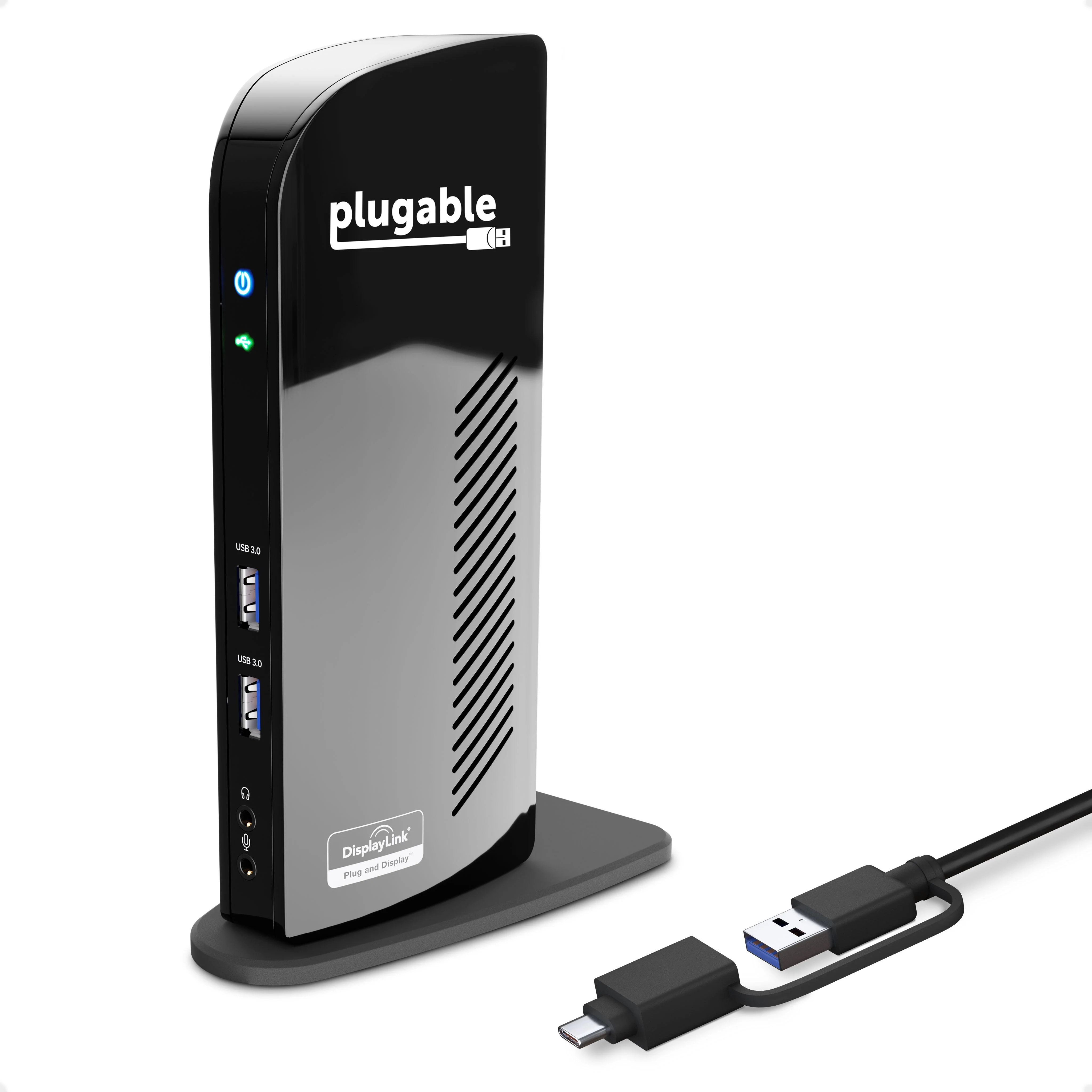
Why has the Plugable Dual HDMI Display USB-C and USB 3.0 Docking Station (UD-3900C) become the go-to docking station for IT departments setting up a hybrid office? Features like a hybrid 2-in-1 cable so most USB Type-A or USB Type-C laptops can walk up and connect. Standardizing on HDMI–no more dongles, adapters, or daisy chains to get your screens connected, and DisplayLink for laptops that don’t natively support dual displays—like an M1 Mac—make it the easy solution for hybrid offices.
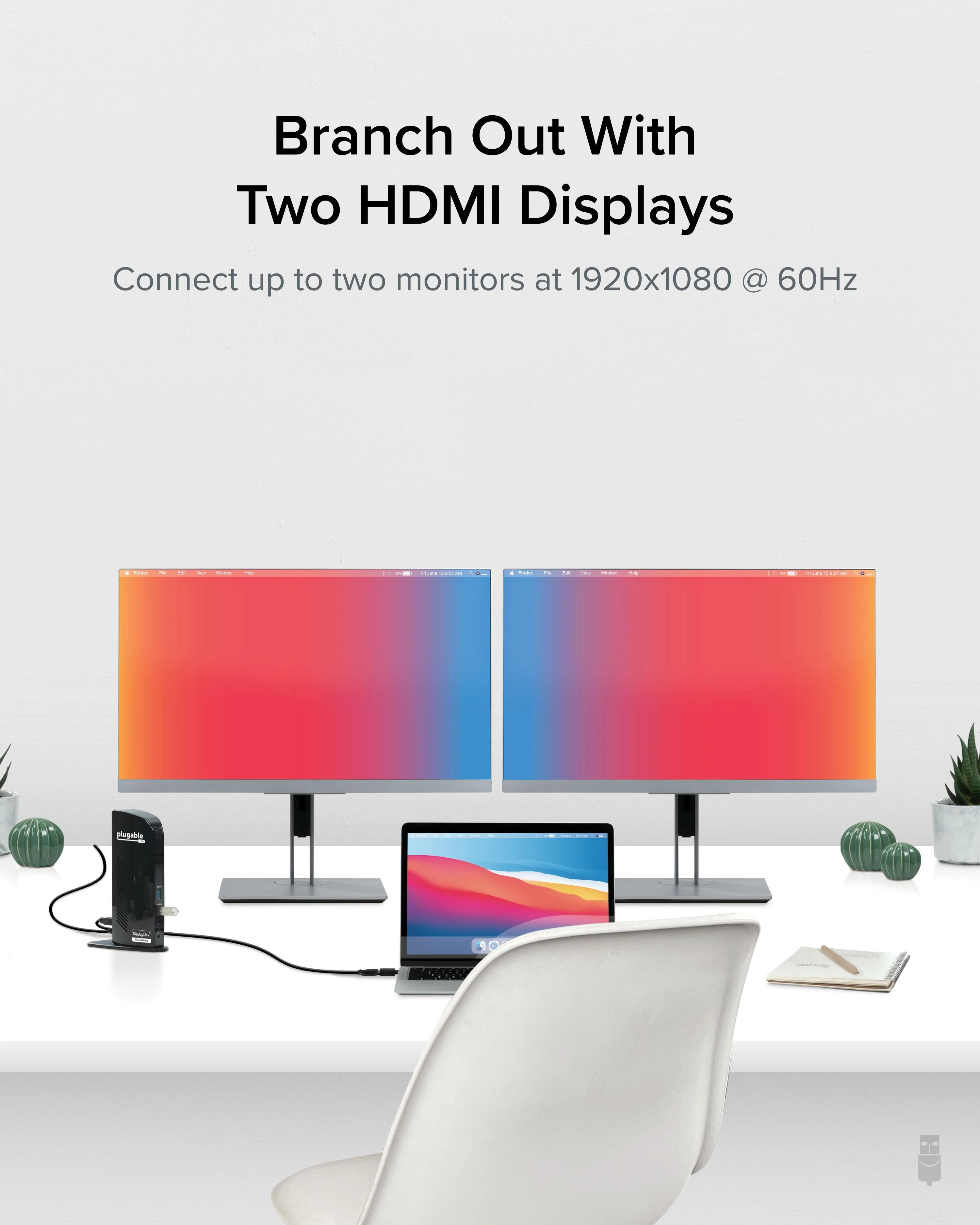
A TAA-compliant USB C docking station dual monitor should provide support for two monitors. With DisplayLink, and a cord that works with USB-A and USB-C laptops, the UD-3900C adapts. This is helpful in hot desking and hoteling environments, or when your computer doesn’t natively support dual displays–like an M1 Mac. You will need to use a DisplayLink Driver to get full functionality out of your Plugable USB 3.0 docking station.
Setting up is an intuitive process. For the IT staff that needs to convert an entire enterprise over to hotdesks, the UD-3900C has Display Layout Provisioning tools to set up each workstation with preset defaults.
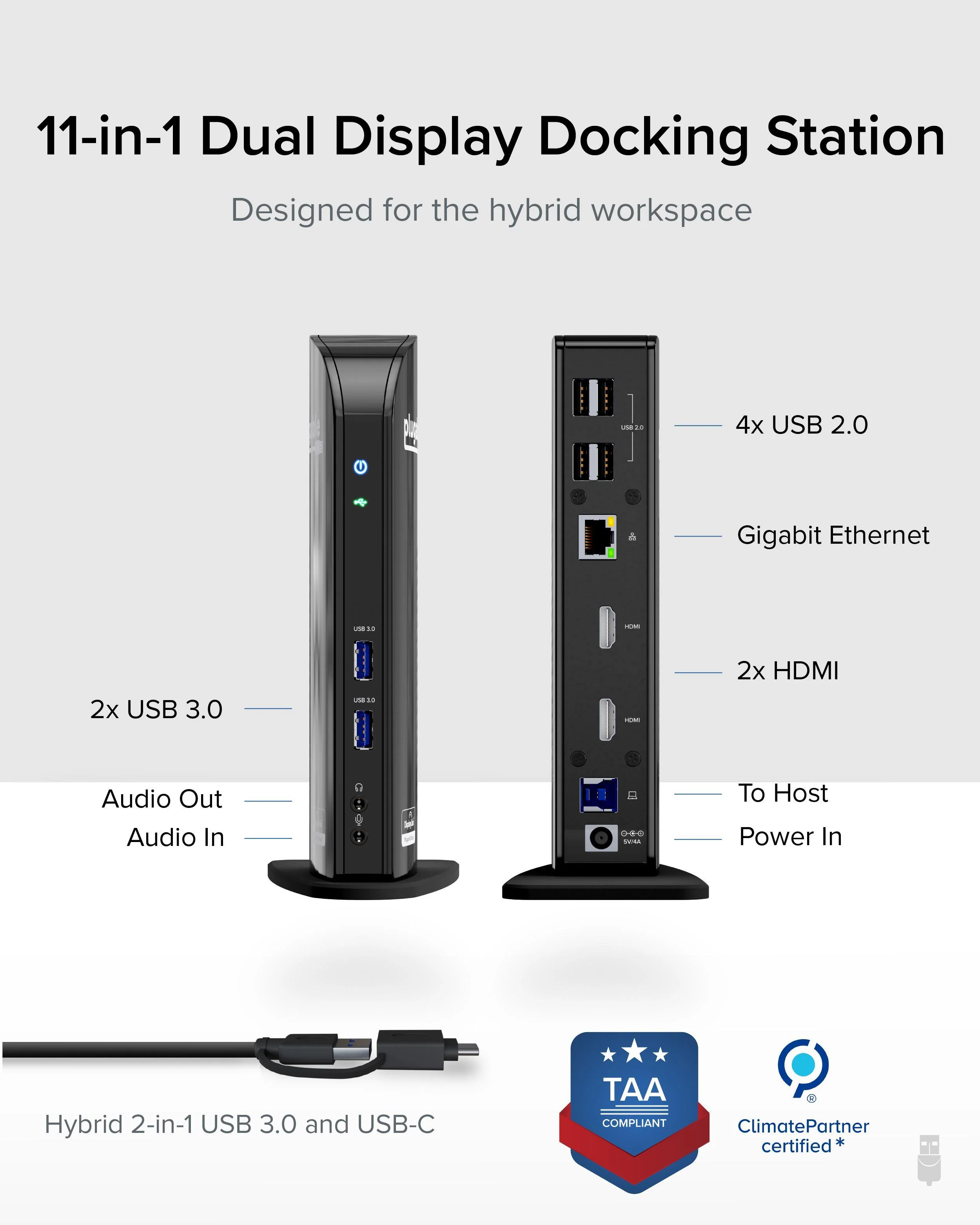
2x HDMI ports, 2x USB 3.0 ports, 4x USB 2.0 ports, a Gigabit Ethernet port for wired network connectivity, an audio input/output jack, and a truly intuitive one plug connection, the Plugable UD-3900C is the ultimate docking station for the hybrid office, the home office, or anywhere work gets done.
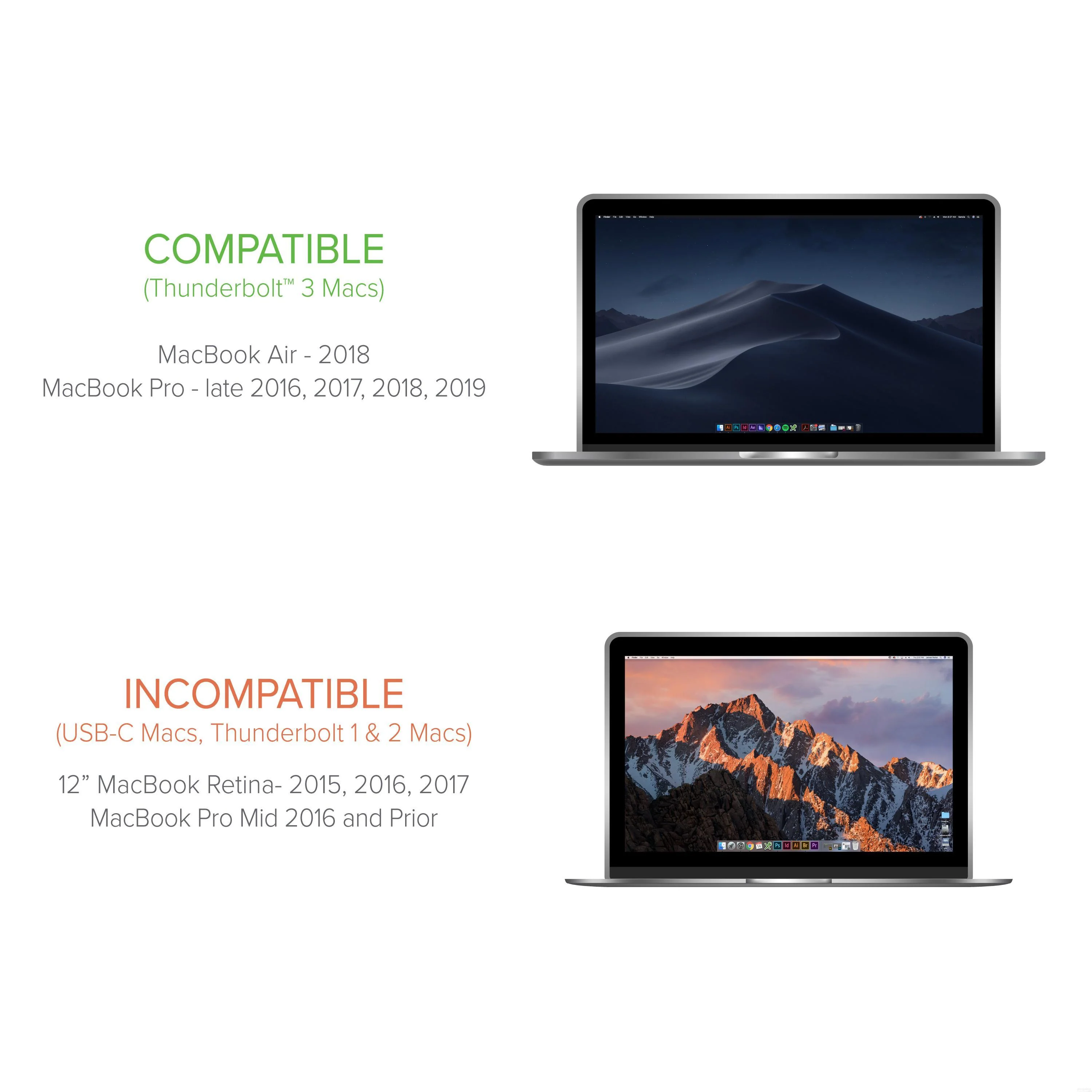
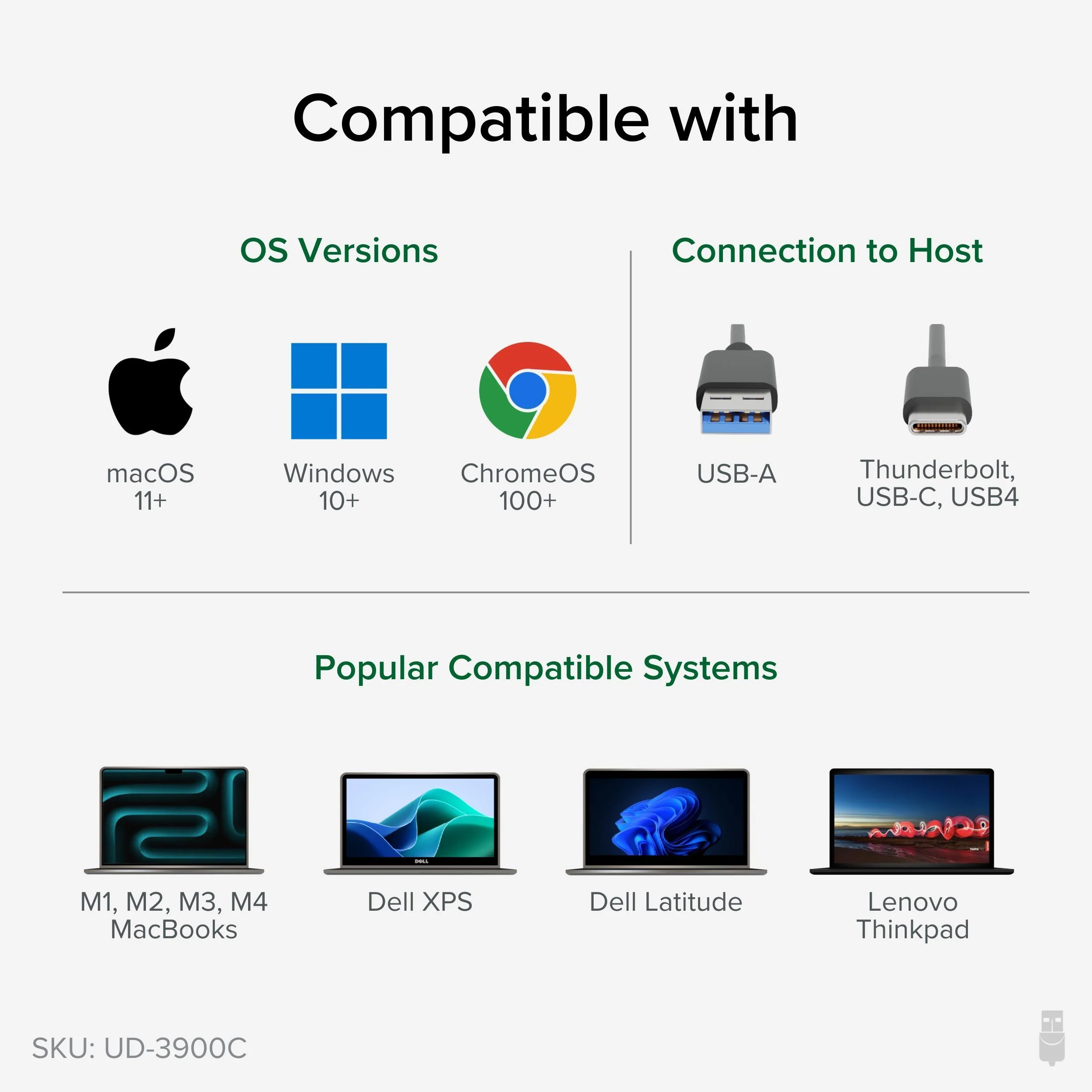
Compatible with most modern laptops and desktops running Windows 11/ 10 / 8.x / 7 and macOS 10.14+. Not compatible with: macOS 10.13.x and earlier, Linux / Unix. DisplayLink is a flexible technology that’s great for most users’ workflow. But there are a few scenarios where it’s not the right fit such as gaming and HDCP (copy-protected) content playback from Blu-ray/Netflix/Prime/ iTunes/Hulu/etc. This USB dock does not provide power to the connected laptop.
Why has the Plugable Dual HDMI Display USB-C and USB 3.0 Docking Station (UD-3900C) become the go-to docking station for IT departments setting up a hybrid office? Features like a hybrid 2-in-1 cable so most USB Type-A or USB Type-C laptops can walk up and connect. Standardizing on HDMI–no more dongles, adapters, or daisy chains to get your screens connected, and DisplayLink for laptops that don’t natively support dual displays—like an M1 Mac—make it the easy solution for hybrid offices.
A TAA-compliant USB C docking station dual monitor should provide support for two monitors. With DisplayLink, and a cord that works with USB-A and USB-C laptops, the UD-3900C adapts. This is helpful in hot desking and hoteling environments, or when your computer doesn’t natively support dual displays–like an M1 Mac. You will need to use a DisplayLink Driver to get full functionality out of your Plugable USB 3.0 docking station.
Setting up is an intuitive process. For the IT staff that needs to convert an entire enterprise over to hotdesks, the UD-3900C has Display Layout Provisioning tools to set up each workstation with preset defaults.
2x HDMI ports, 2x USB 3.0 ports, 4x USB 2.0 ports, a Gigabit Ethernet port for wired network connectivity, an audio input/output jack, and a truly intuitive one plug connection, the Plugable UD-3900C is the ultimate docking station for the hybrid office, the home office, or anywhere work gets done.
Compatible with most modern laptops and desktops running Windows 11/ 10 / 8.x / 7 and macOS 10.14+. Not compatible with: macOS 10.13.x and earlier, Linux / Unix. DisplayLink is a flexible technology that’s great for most users’ workflow. But there are a few scenarios where it’s not the right fit such as gaming and HDCP (copy-protected) content playback from Blu-ray/Netflix/Prime/ iTunes/Hulu/etc. This USB dock does not provide power to the connected laptop.
Product Information
Product Information
Shipping & Returns
Shipping & Returns
Plugable USB 3.0 and USB-C Docking Station with Displaylink Technology
Plugable USB 3.0 and USB-C Docking Station with Displaylink Technology
Dual Display Docking Station Designed for the Hybrid Office
Why has the Plugable Dual HDMI Display USB-C and USB 3.0 Docking Station (UD-3900C) become the go-to docking station for IT departments setting up a hybrid office? Features like a hybrid 2-in-1 cable so most USB Type-A or USB Type-C laptops can walk up and connect. Standardizing on HDMI–no more dongles, adapters, or daisy chains to get your screens connected, and DisplayLink for laptops that don’t natively support dual displays—like an M1 Mac—make it the easy solution for hybrid offices.
A TAA-compliant USB C docking station dual monitor should provide support for two monitors. With DisplayLink, and a cord that works with USB-A and USB-C laptops, the UD-3900C adapts. This is helpful in hot desking and hoteling environments, or when your computer doesn’t natively support dual displays–like an M1 Mac. You will need to use a DisplayLink Driver to get full functionality out of your Plugable USB 3.0 docking station.
Setting up is an intuitive process. For the IT staff that needs to convert an entire enterprise over to hotdesks, the UD-3900C has Display Layout Provisioning tools to set up each workstation with preset defaults.
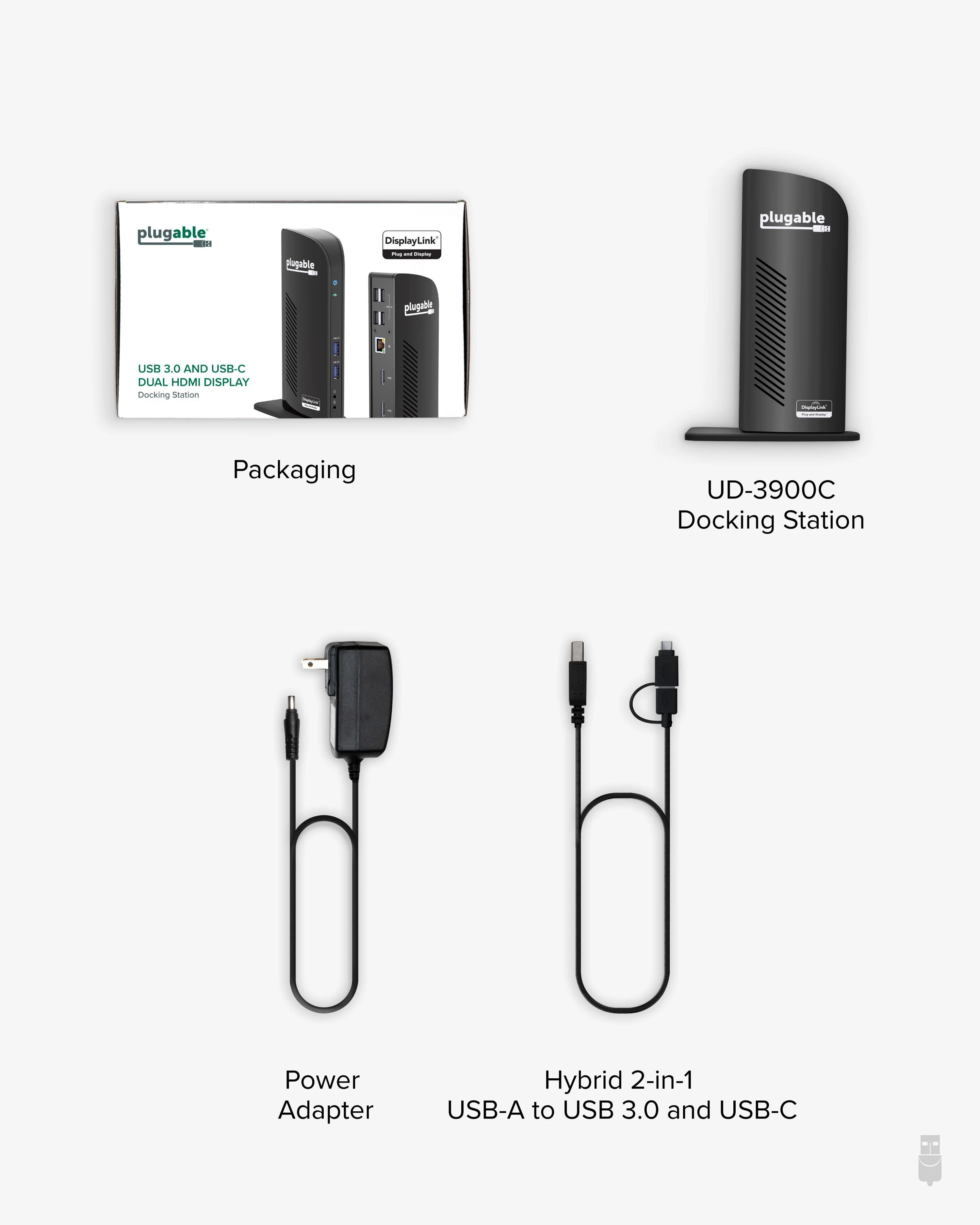
2x HDMI ports, 2x USB 3.0 ports, 4x USB 2.0 ports, a Gigabit Ethernet port for wired network connectivity, an audio input/output jack, and a truly intuitive one plug connection, the Plugable UD-3900C is the ultimate docking station for the hybrid office, the home office, or anywhere work gets done.
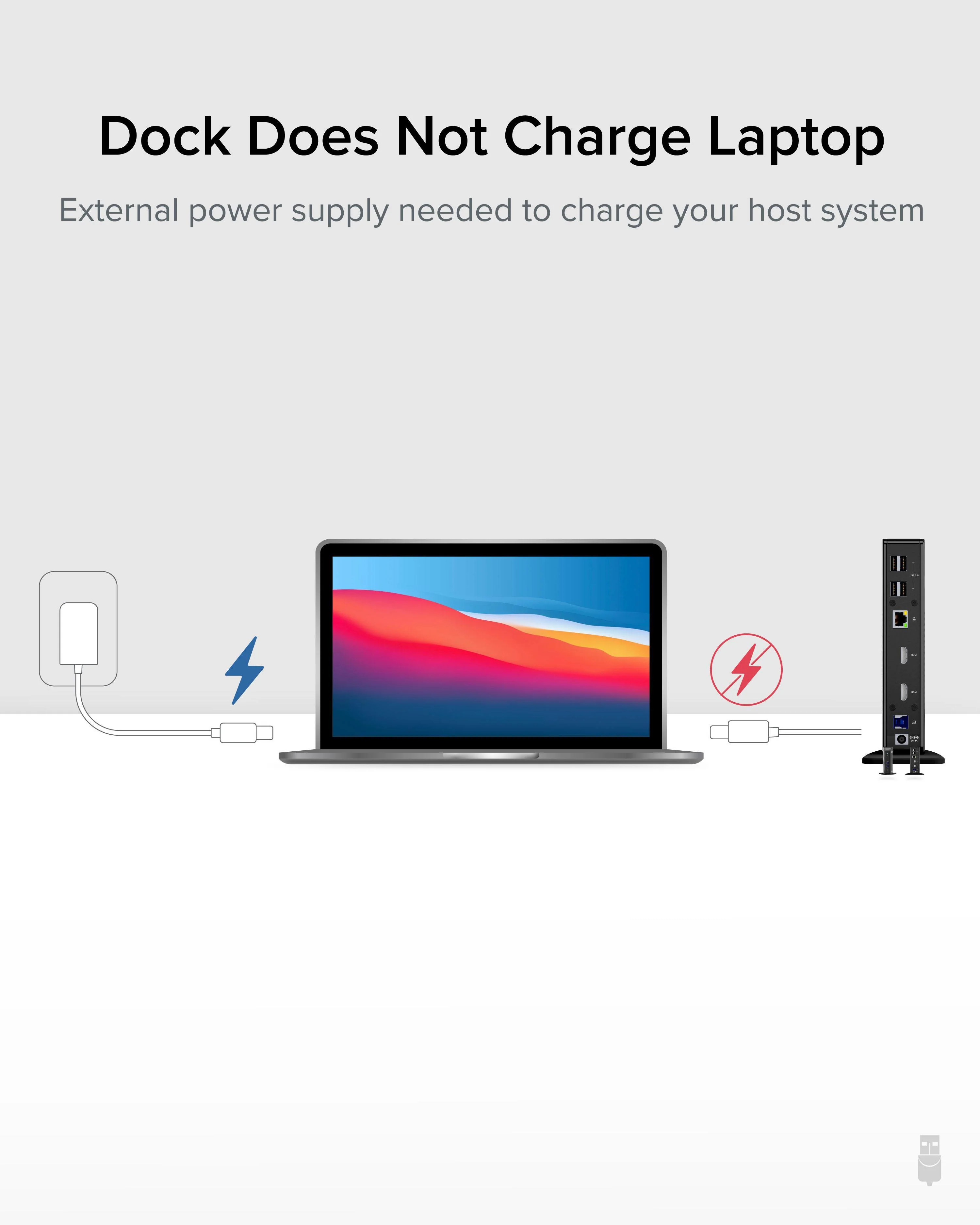
Compatible with most modern laptops and desktops running Windows 11/ 10 / 8.x / 7 and macOS 10.14+. Not compatible with: macOS 10.13.x and earlier, Linux / Unix. DisplayLink is a flexible technology that’s great for most users’ workflow. But there are a few scenarios where it’s not the right fit such as gaming and HDCP (copy-protected) content playback from Blu-ray/Netflix/Prime/ iTunes/Hulu/etc. This USB dock does not provide power to the connected laptop.
Why has the Plugable Dual HDMI Display USB-C and USB 3.0 Docking Station (UD-3900C) become the go-to docking station for IT departments setting up a hybrid office? Features like a hybrid 2-in-1 cable so most USB Type-A or USB Type-C laptops can walk up and connect. Standardizing on HDMI–no more dongles, adapters, or daisy chains to get your screens connected, and DisplayLink for laptops that don’t natively support dual displays—like an M1 Mac—make it the easy solution for hybrid offices.
A TAA-compliant USB C docking station dual monitor should provide support for two monitors. With DisplayLink, and a cord that works with USB-A and USB-C laptops, the UD-3900C adapts. This is helpful in hot desking and hoteling environments, or when your computer doesn’t natively support dual displays–like an M1 Mac. You will need to use a DisplayLink Driver to get full functionality out of your Plugable USB 3.0 docking station.
Setting up is an intuitive process. For the IT staff that needs to convert an entire enterprise over to hotdesks, the UD-3900C has Display Layout Provisioning tools to set up each workstation with preset defaults.
2x HDMI ports, 2x USB 3.0 ports, 4x USB 2.0 ports, a Gigabit Ethernet port for wired network connectivity, an audio input/output jack, and a truly intuitive one plug connection, the Plugable UD-3900C is the ultimate docking station for the hybrid office, the home office, or anywhere work gets done.
Compatible with most modern laptops and desktops running Windows 11/ 10 / 8.x / 7 and macOS 10.14+. Not compatible with: macOS 10.13.x and earlier, Linux / Unix. DisplayLink is a flexible technology that’s great for most users’ workflow. But there are a few scenarios where it’s not the right fit such as gaming and HDCP (copy-protected) content playback from Blu-ray/Netflix/Prime/ iTunes/Hulu/etc. This USB dock does not provide power to the connected laptop.
$119.95
Plugable USB 3.0 and USB-C Docking Station with Displaylink Technology—
$119.95
Product Information
Product Information
Shipping & Returns
Shipping & Returns
Description
Dual Display Docking Station Designed for the Hybrid Office
Why has the Plugable Dual HDMI Display USB-C and USB 3.0 Docking Station (UD-3900C) become the go-to docking station for IT departments setting up a hybrid office? Features like a hybrid 2-in-1 cable so most USB Type-A or USB Type-C laptops can walk up and connect. Standardizing on HDMI–no more dongles, adapters, or daisy chains to get your screens connected, and DisplayLink for laptops that don’t natively support dual displays—like an M1 Mac—make it the easy solution for hybrid offices.
A TAA-compliant USB C docking station dual monitor should provide support for two monitors. With DisplayLink, and a cord that works with USB-A and USB-C laptops, the UD-3900C adapts. This is helpful in hot desking and hoteling environments, or when your computer doesn’t natively support dual displays–like an M1 Mac. You will need to use a DisplayLink Driver to get full functionality out of your Plugable USB 3.0 docking station.
Setting up is an intuitive process. For the IT staff that needs to convert an entire enterprise over to hotdesks, the UD-3900C has Display Layout Provisioning tools to set up each workstation with preset defaults.
2x HDMI ports, 2x USB 3.0 ports, 4x USB 2.0 ports, a Gigabit Ethernet port for wired network connectivity, an audio input/output jack, and a truly intuitive one plug connection, the Plugable UD-3900C is the ultimate docking station for the hybrid office, the home office, or anywhere work gets done.
Compatible with most modern laptops and desktops running Windows 11/ 10 / 8.x / 7 and macOS 10.14+. Not compatible with: macOS 10.13.x and earlier, Linux / Unix. DisplayLink is a flexible technology that’s great for most users’ workflow. But there are a few scenarios where it’s not the right fit such as gaming and HDCP (copy-protected) content playback from Blu-ray/Netflix/Prime/ iTunes/Hulu/etc. This USB dock does not provide power to the connected laptop.
Why has the Plugable Dual HDMI Display USB-C and USB 3.0 Docking Station (UD-3900C) become the go-to docking station for IT departments setting up a hybrid office? Features like a hybrid 2-in-1 cable so most USB Type-A or USB Type-C laptops can walk up and connect. Standardizing on HDMI–no more dongles, adapters, or daisy chains to get your screens connected, and DisplayLink for laptops that don’t natively support dual displays—like an M1 Mac—make it the easy solution for hybrid offices.
A TAA-compliant USB C docking station dual monitor should provide support for two monitors. With DisplayLink, and a cord that works with USB-A and USB-C laptops, the UD-3900C adapts. This is helpful in hot desking and hoteling environments, or when your computer doesn’t natively support dual displays–like an M1 Mac. You will need to use a DisplayLink Driver to get full functionality out of your Plugable USB 3.0 docking station.
Setting up is an intuitive process. For the IT staff that needs to convert an entire enterprise over to hotdesks, the UD-3900C has Display Layout Provisioning tools to set up each workstation with preset defaults.
2x HDMI ports, 2x USB 3.0 ports, 4x USB 2.0 ports, a Gigabit Ethernet port for wired network connectivity, an audio input/output jack, and a truly intuitive one plug connection, the Plugable UD-3900C is the ultimate docking station for the hybrid office, the home office, or anywhere work gets done.
Compatible with most modern laptops and desktops running Windows 11/ 10 / 8.x / 7 and macOS 10.14+. Not compatible with: macOS 10.13.x and earlier, Linux / Unix. DisplayLink is a flexible technology that’s great for most users’ workflow. But there are a few scenarios where it’s not the right fit such as gaming and HDCP (copy-protected) content playback from Blu-ray/Netflix/Prime/ iTunes/Hulu/etc. This USB dock does not provide power to the connected laptop.